Cancel an order
By Julien RiouxUpdated September 16, 2026
Cancel a reservation the customer no longer wants, and refund what they paid.
By Julien Rioux·Updated September 16, 2026
Cancel a reservation the customer no longer wants, and refund what they paid.
You can cancel an item while it is still waiting to be picked up. Once it has gone out, take it back with a return instead.
Cancelling frees the reservation so someone else can book the item. If the customer already paid, refund the rental fee to their account balance in the same step.
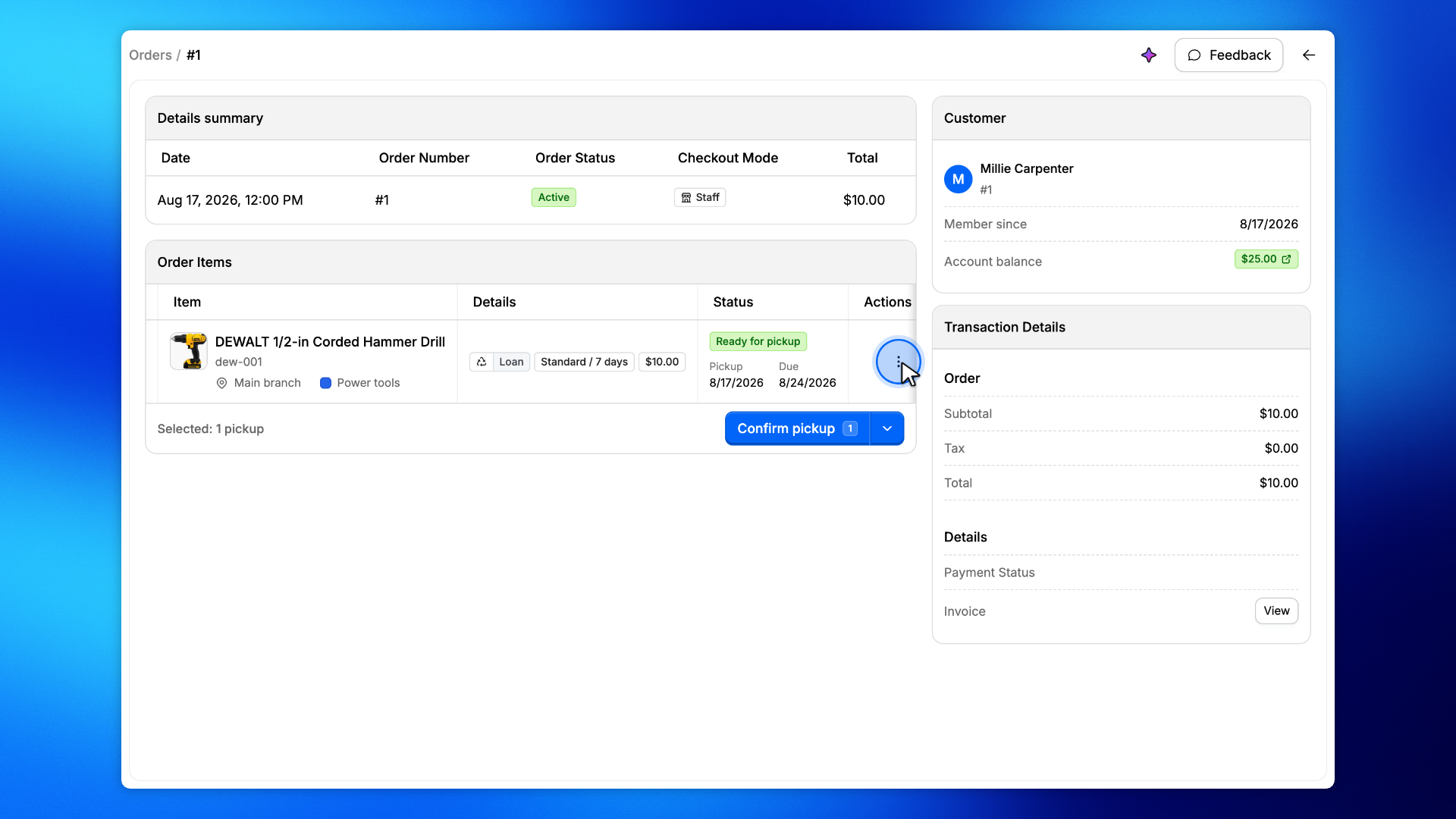
On Order Items, open the actions menu for the item the customer no longer wants.
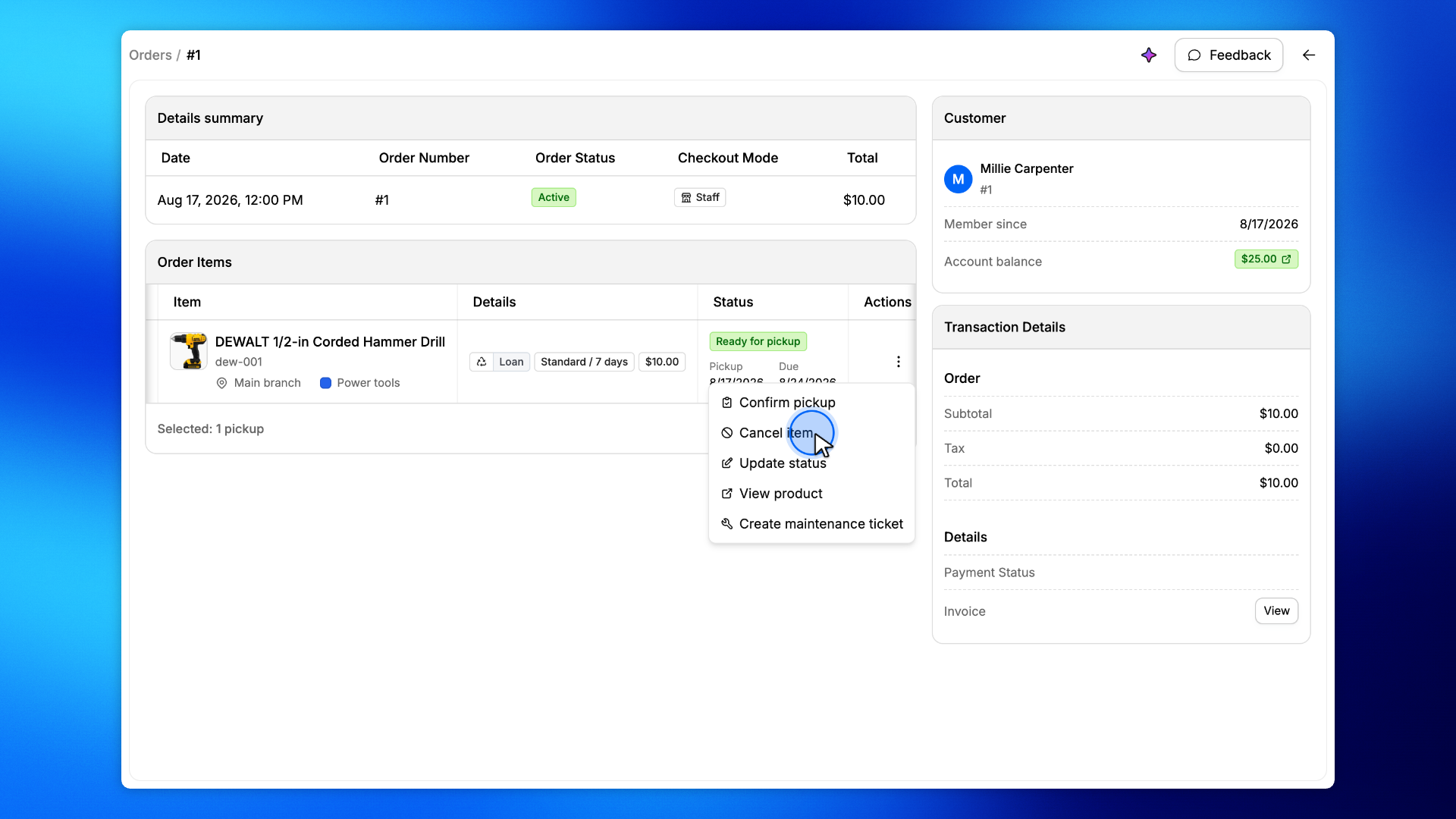
Click Cancel item. Only items that have not been picked up can be canceled.
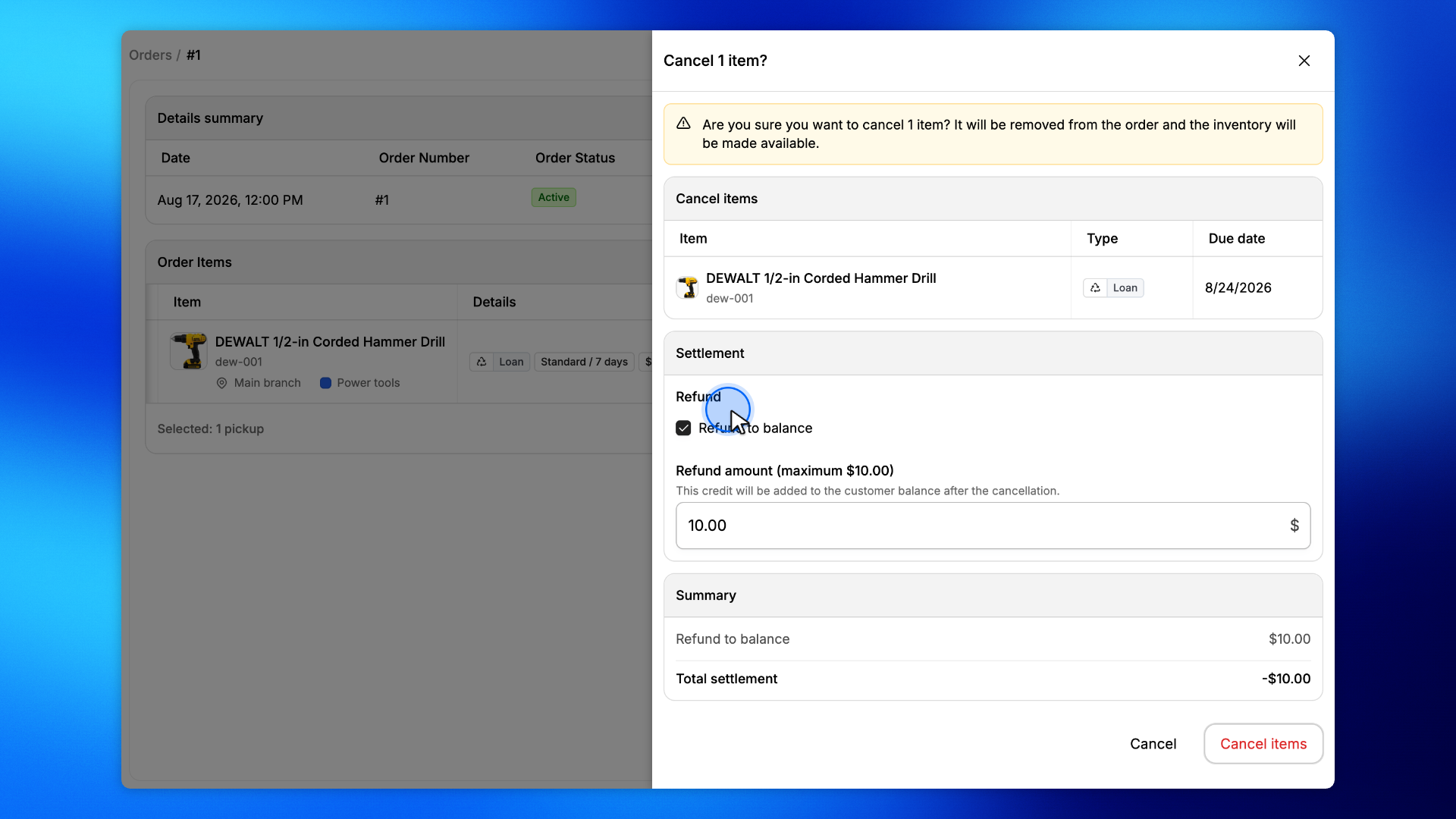
Check Refund to balance to give the rental fee back to the customer's account.
The amount defaults to what they paid for this item. Leave it unchecked to cancel without a refund.
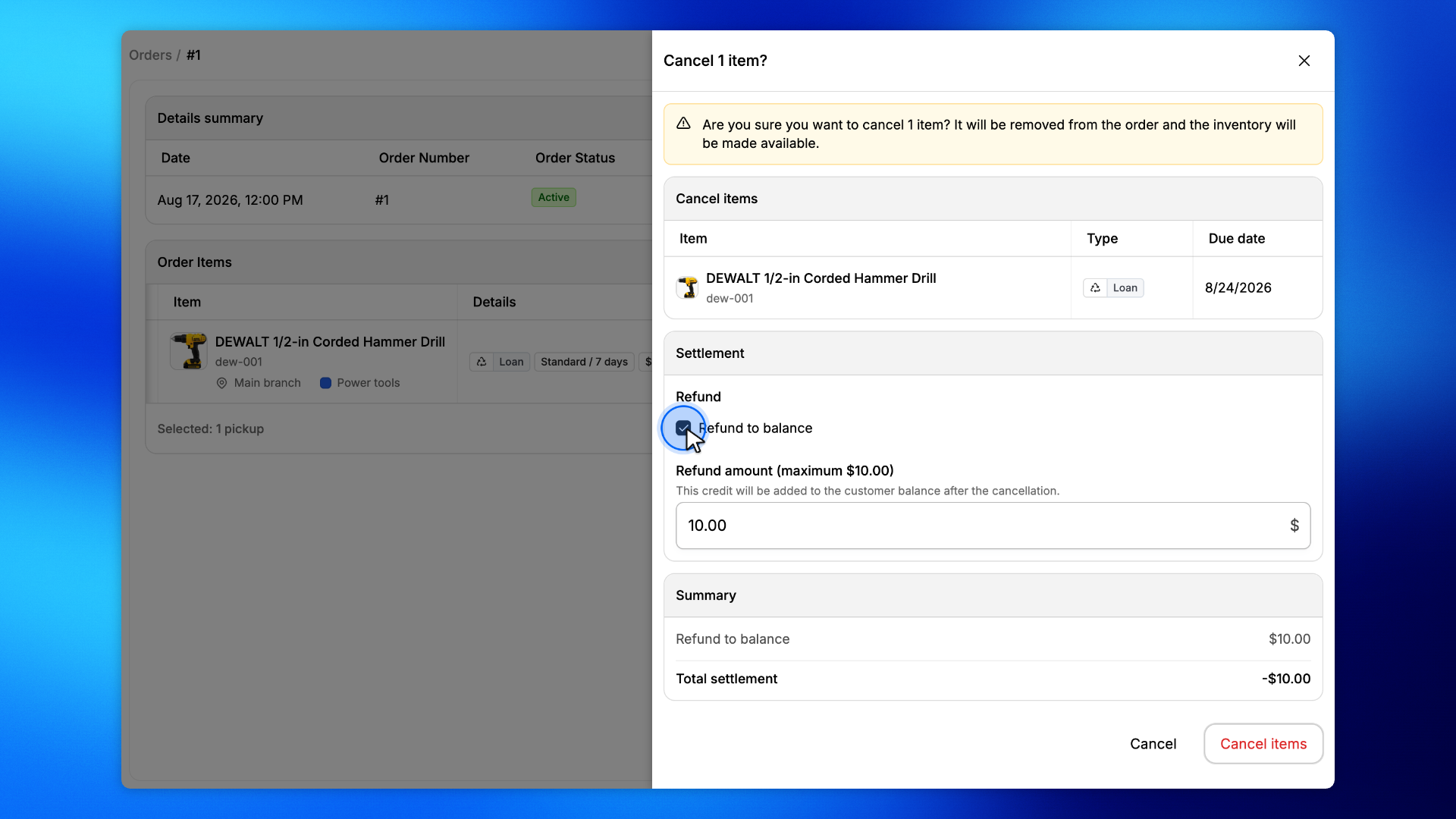
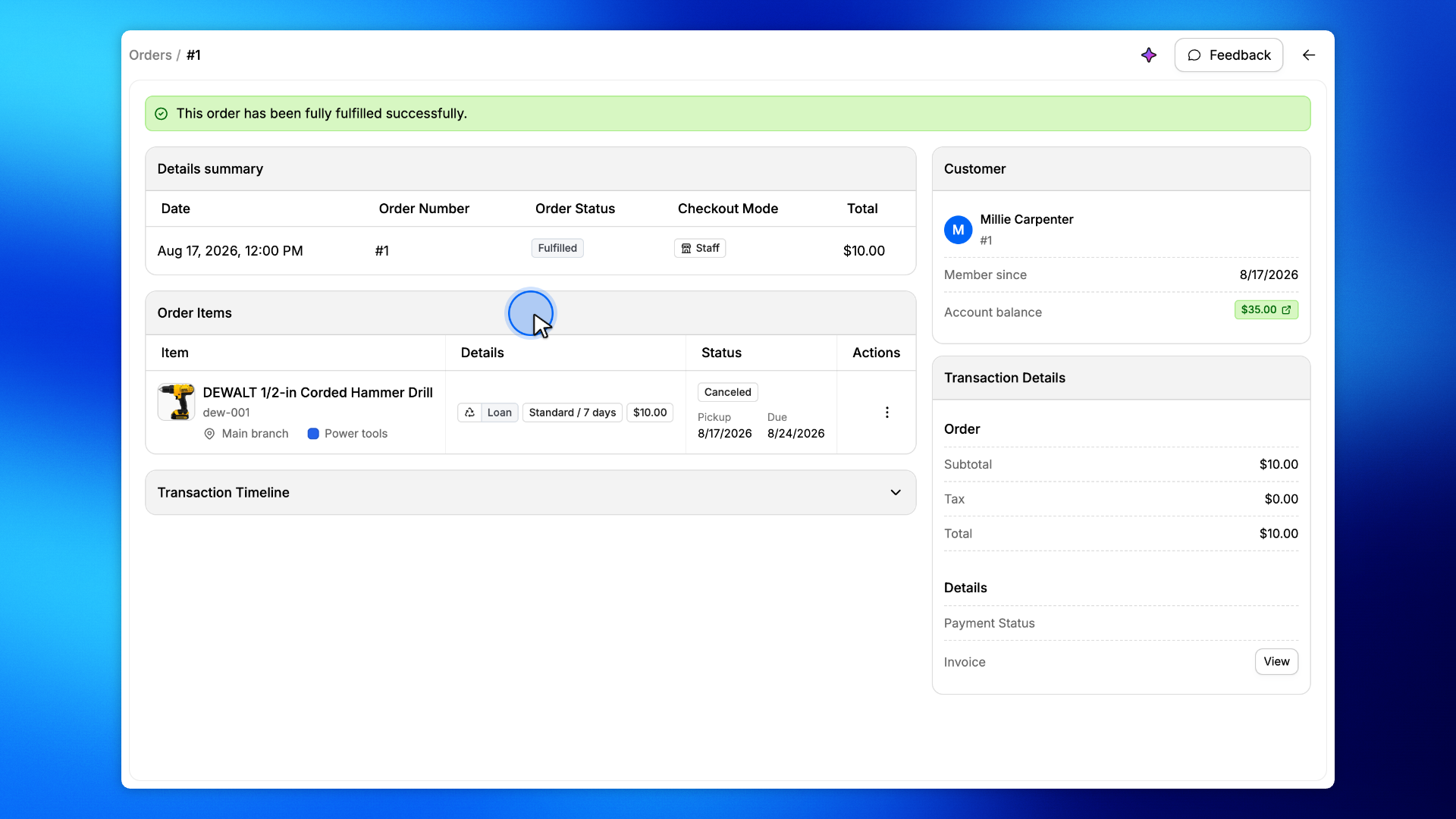
Click Cancel items. The item is canceled, the inventory goes back on the shelf, and the refund lands on the customer's balance.
The item now reads Canceled and the customer's balance shows the refund.