Keep a deposit on a return
By Julien RiouxUpdated August 31, 2026
When an item comes back, choose how much of the deposit to keep and collect it as you mark the item returned.
By Julien Rioux·Updated August 31, 2026
When an item comes back, choose how much of the deposit to keep and collect it as you mark the item returned.
Deposits are settled on the order, when you take the item back.
Select the item, mark it returned, then uncheck return in full to keep the deposit. Payment is collected before the return is saved.
On the order, check the item the customer is handing back.
The deposit on hold is settled as part of this return.
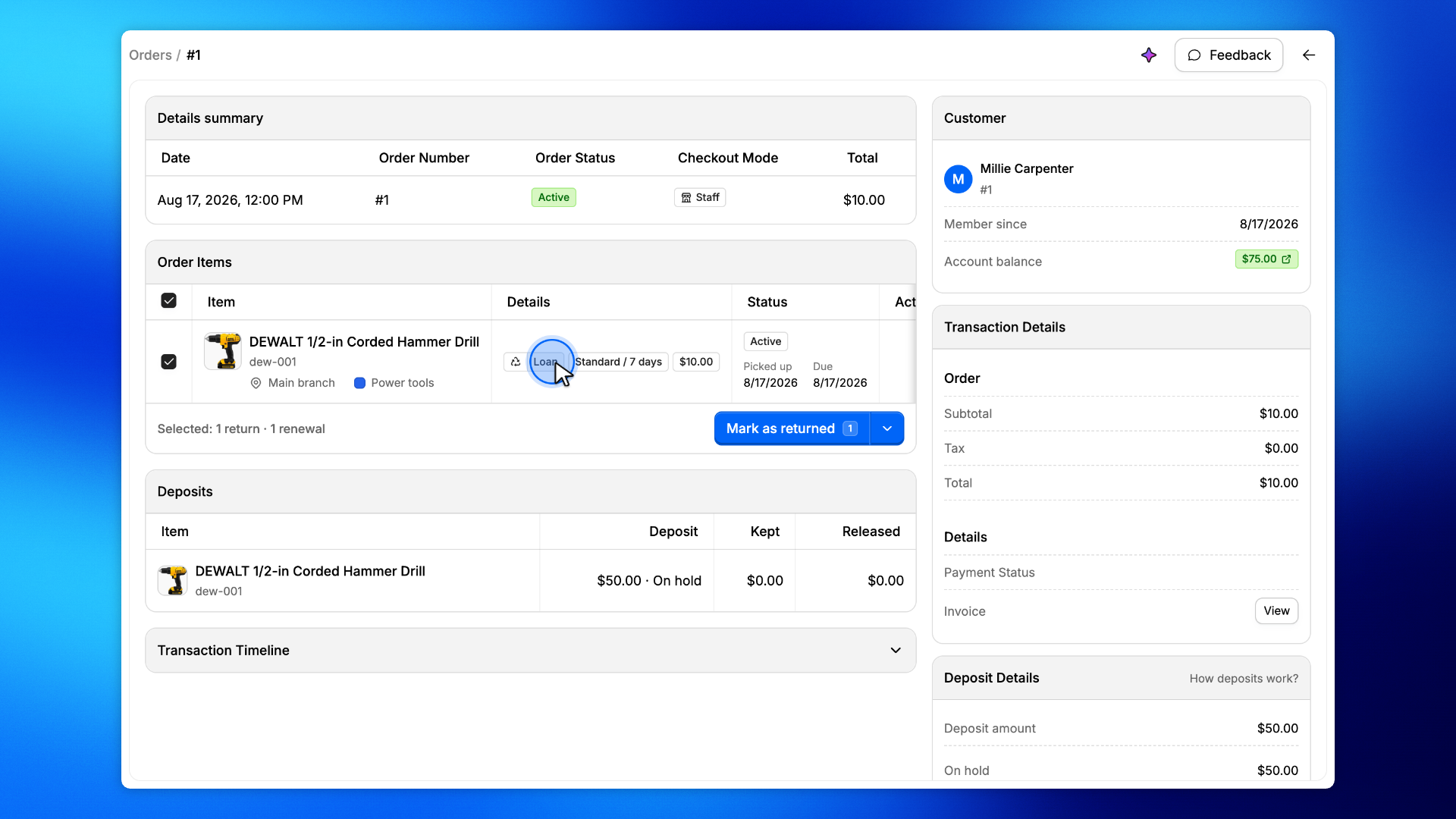
Click Mark as returned.
Because the item has a deposit, the next screens let you return or keep it before the loan is closed.
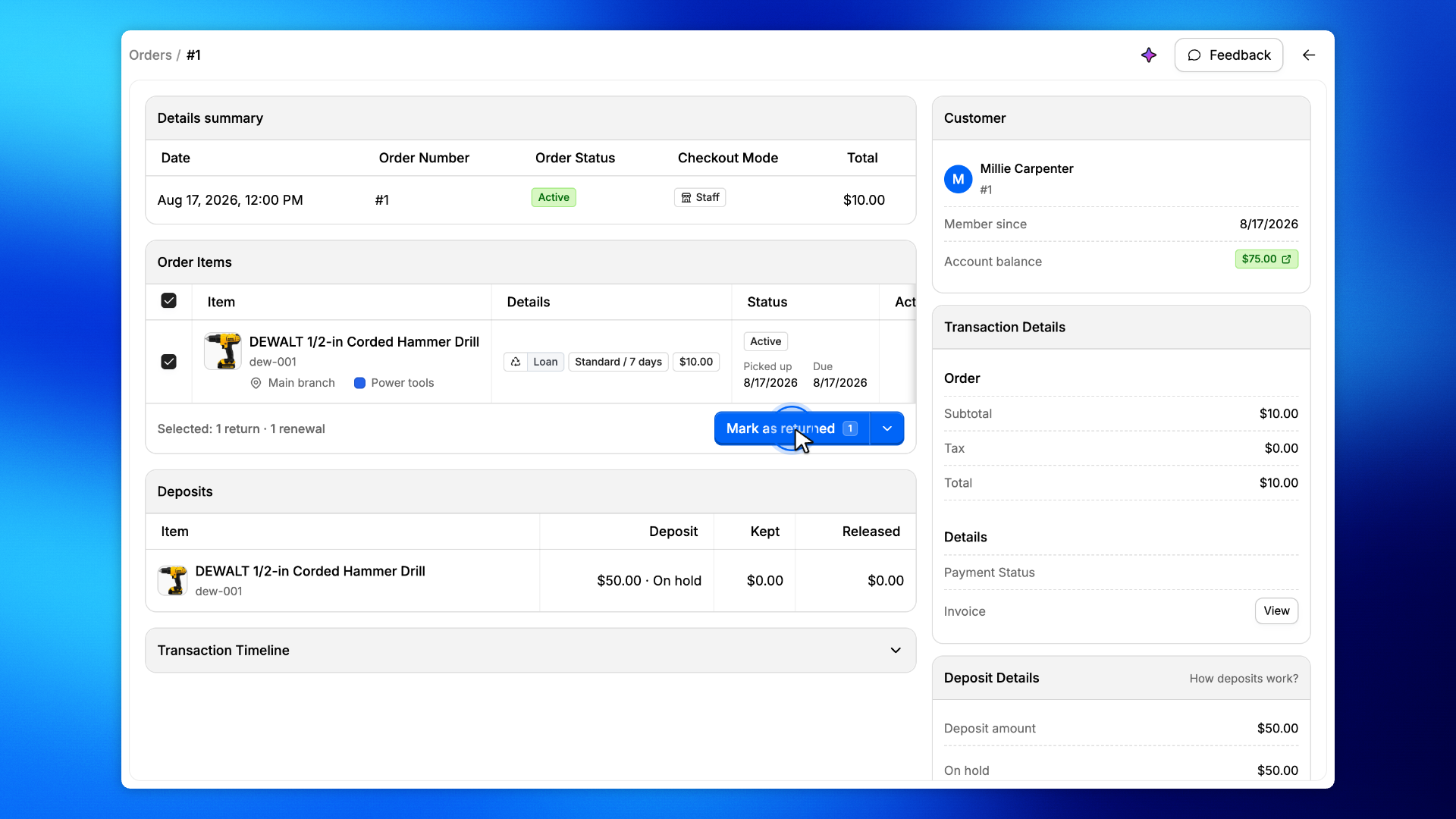
Uncheck Return deposit in full to keep the deposit.
The amount is the full deposit. Leave it to keep everything, or enter a smaller amount. Click Next to continue.
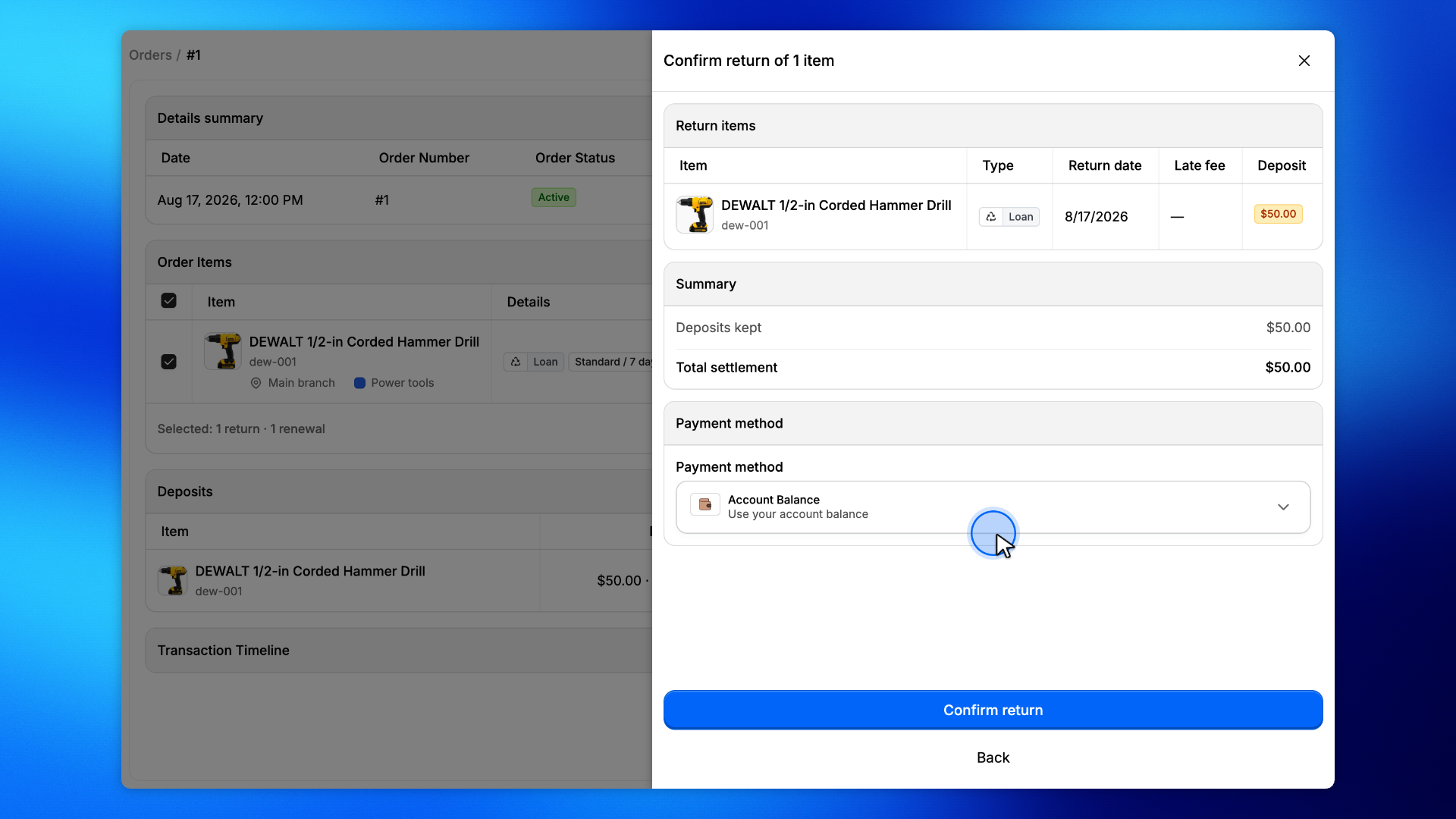
Choose Account balance to keep the deposit on the customer's account.
Then click Confirm return.
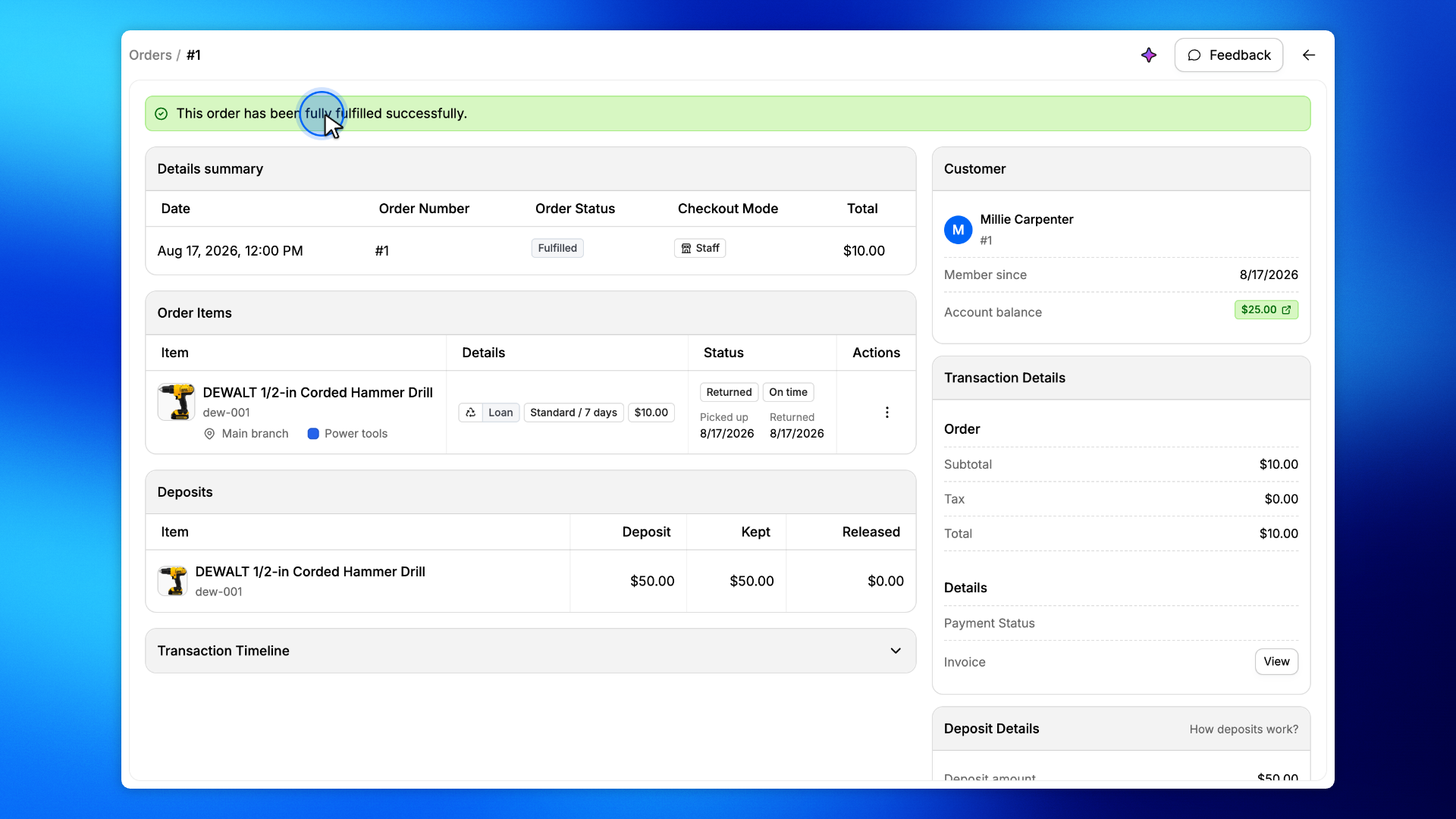
Confirm the transaction. The order status is Fulfilled and the item is Returned. The deposit has been kept from the customer's account balance.