Collect a form response
By Julien RiouxUpdated September 1, 2026
Members and visitors fill the wishlist on the shop. You read their answers under Responses.
By Julien Rioux·Updated September 1, 2026
Members and visitors fill the wishlist on the shop. You read their answers under Responses.
Share the Tool wishlist link or send people to the shop Forms page. This wishlist is open to anyone.
Members submit as themselves. Visitors can Continue without signing in. Open Responses in your workspace to see what they wrote.
These steps are what people see when they fill the wishlist, not in your workspace.
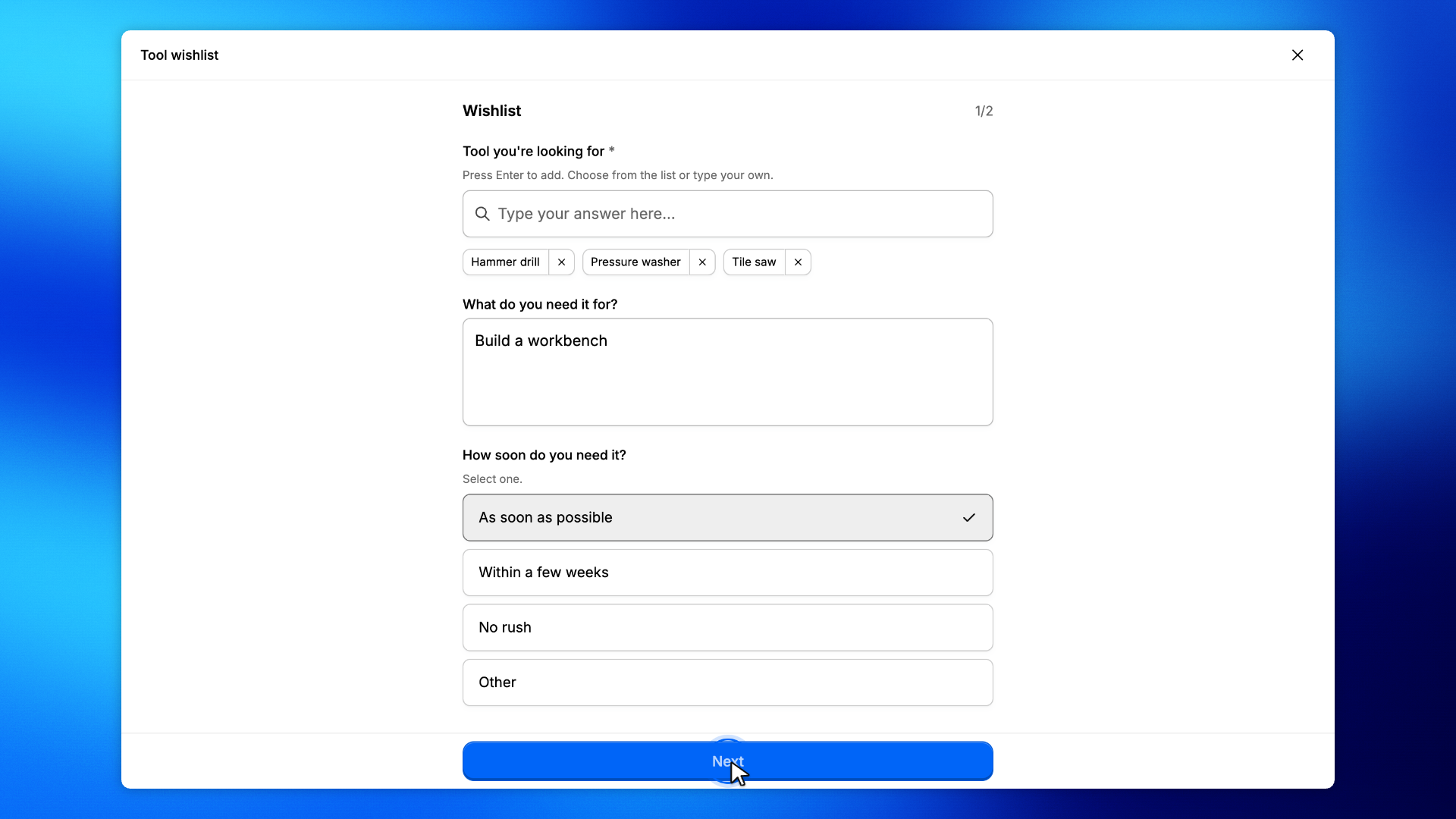
A signed-in member picks Hammer drill and Pressure washer from Tool you're looking for, then types Tile saw and presses Enter.
They can add What do you need it for?, choose How soon do you need it?, then click Next to reach Contact.
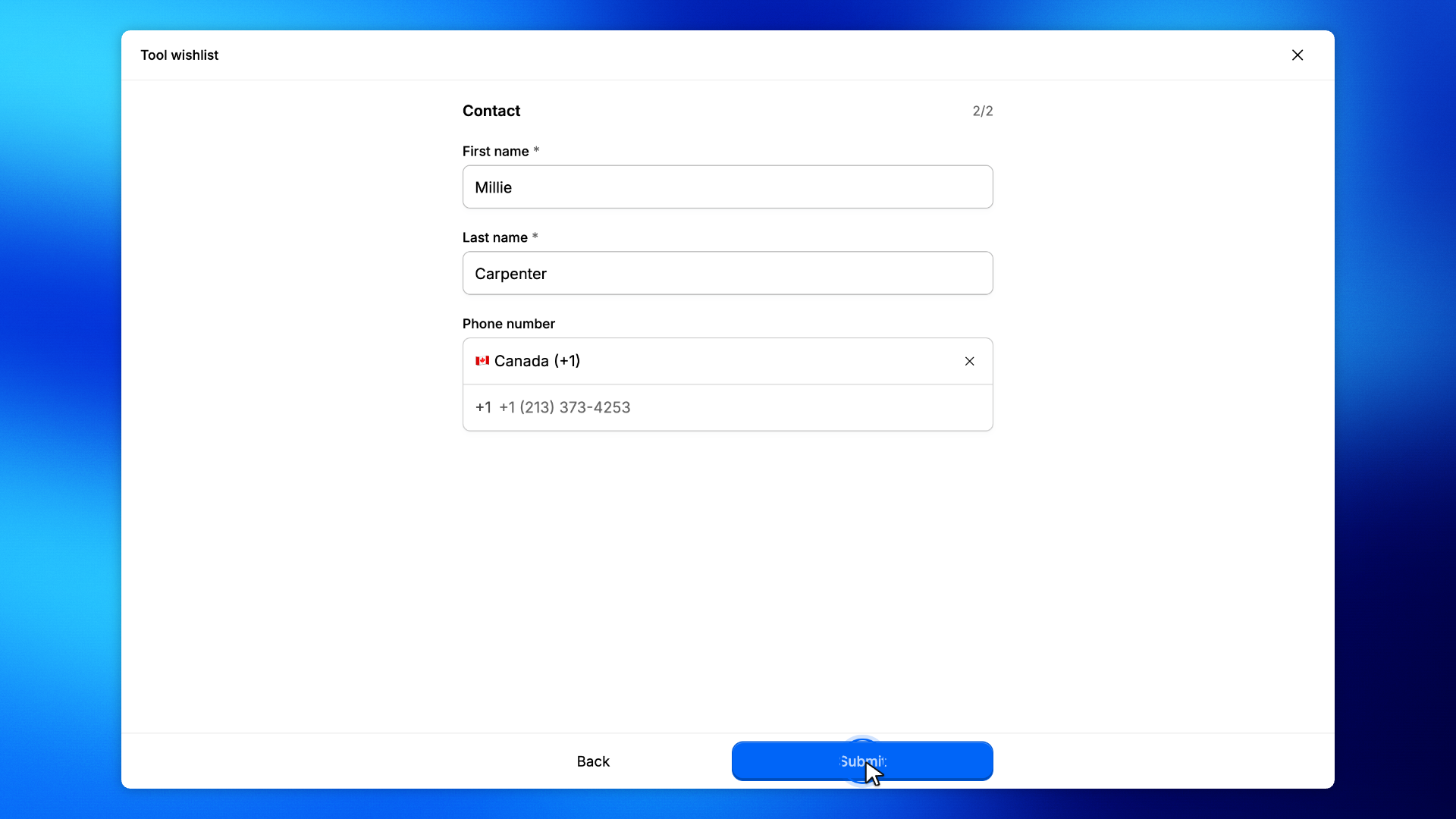
They fill First name and Last name, then click Submit.
You'll see Thanks, your response was submitted. No sign-in prompt appears.
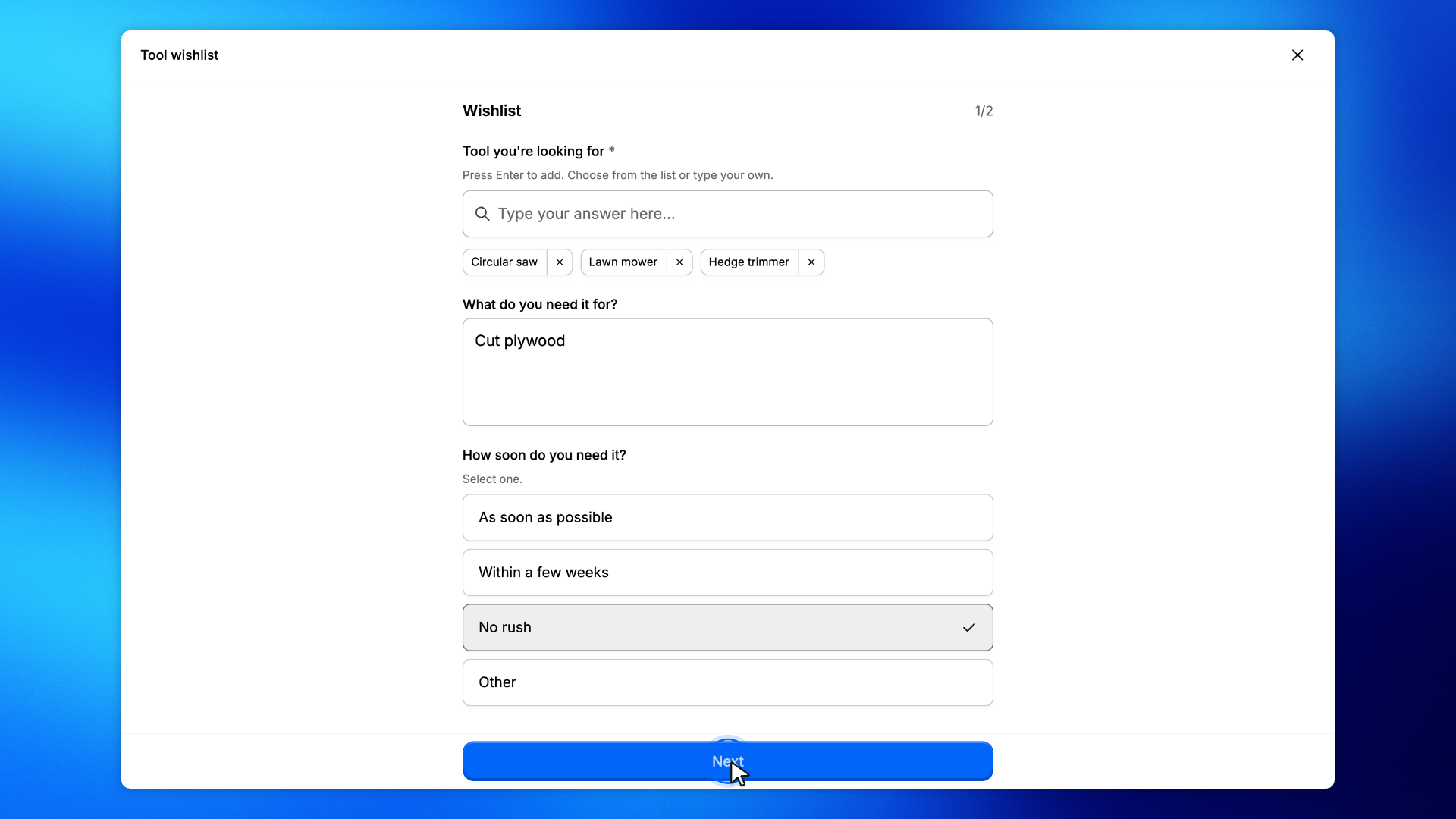
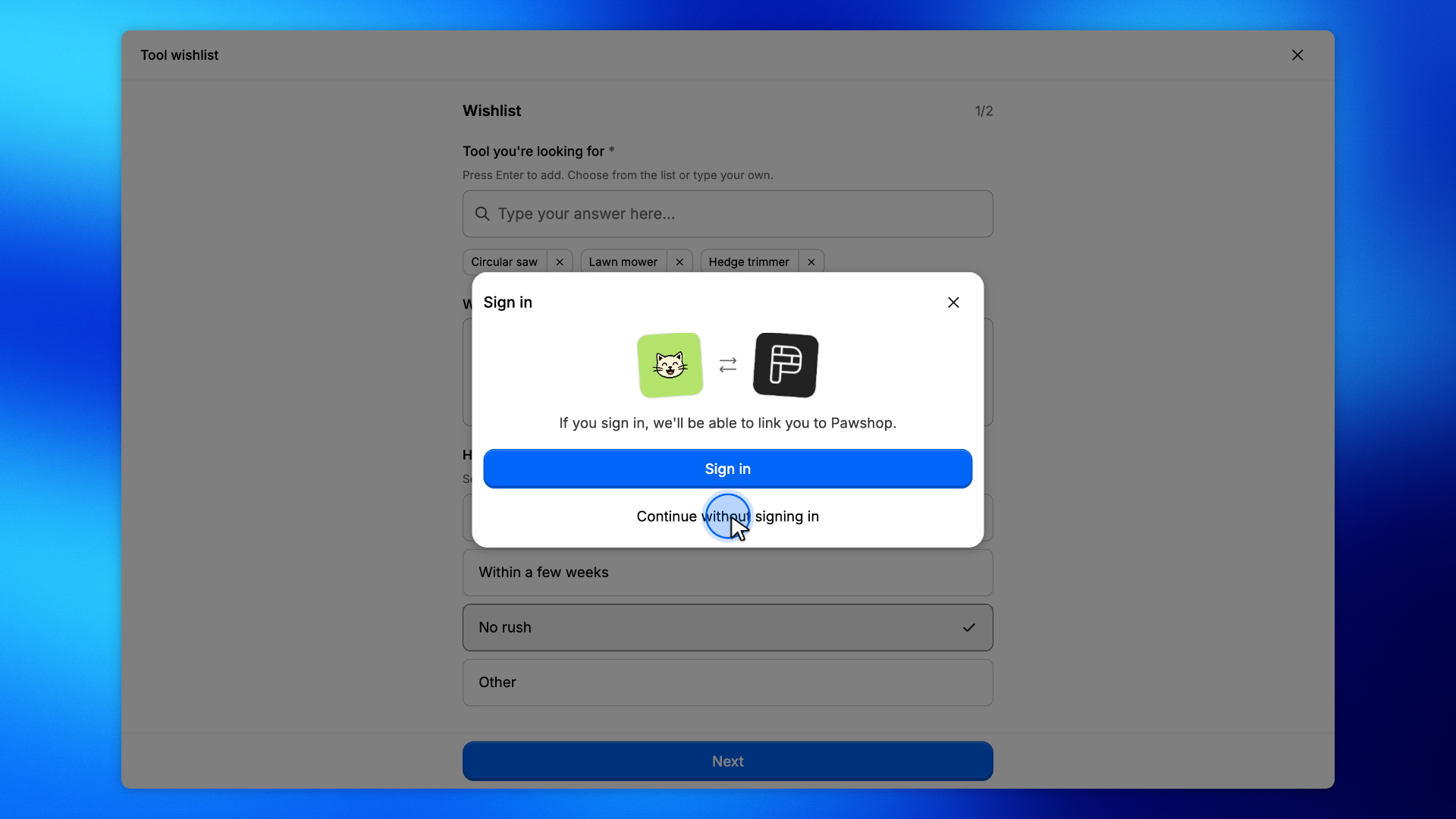
A visitor who is not signed in can still open the wishlist.
They pick Circular saw and Lawn mower, type Hedge trimmer, then click Next.
Sign in is optional on this wishlist. Click Continue without signing in.
Then they fill Contact and click Submit. You'll see Thanks, your response was submitted.
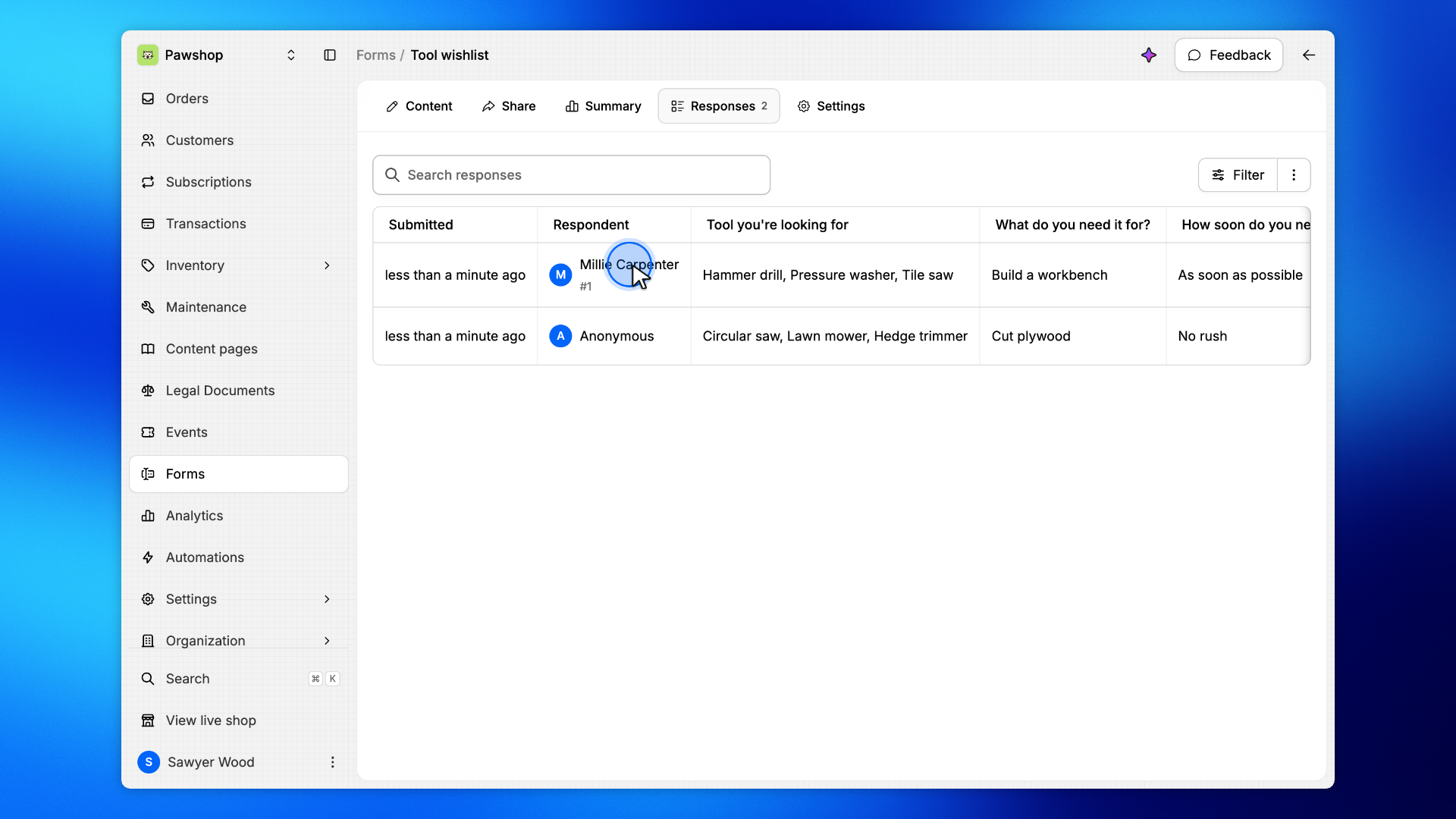
These steps are yours, under Responses.
Open Responses.
You'll see the signed-in member and Anonymous for the visitor, plus the tools they asked for, including a custom tool that was not in the list.