What is a return checklist?
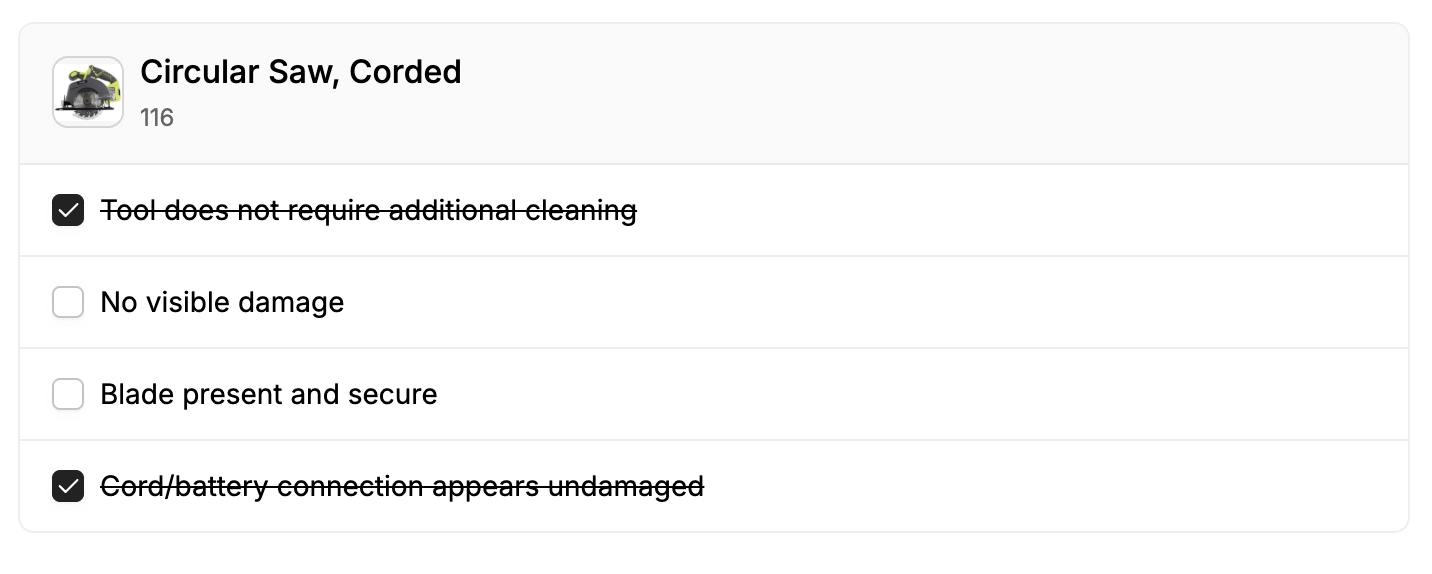
A return checklist is a set of condition checks staff run when a rented item is returned. Each check is a short question or requirement—such as “Battery charged” or “All accessories included”—that must be reviewed before the return is finalized.
Return checklists help you:
Standardize inspections so every return is handled the same way
Document condition at return time (what passed, what did not)
Catch damage or missing parts before the item goes back into circulation
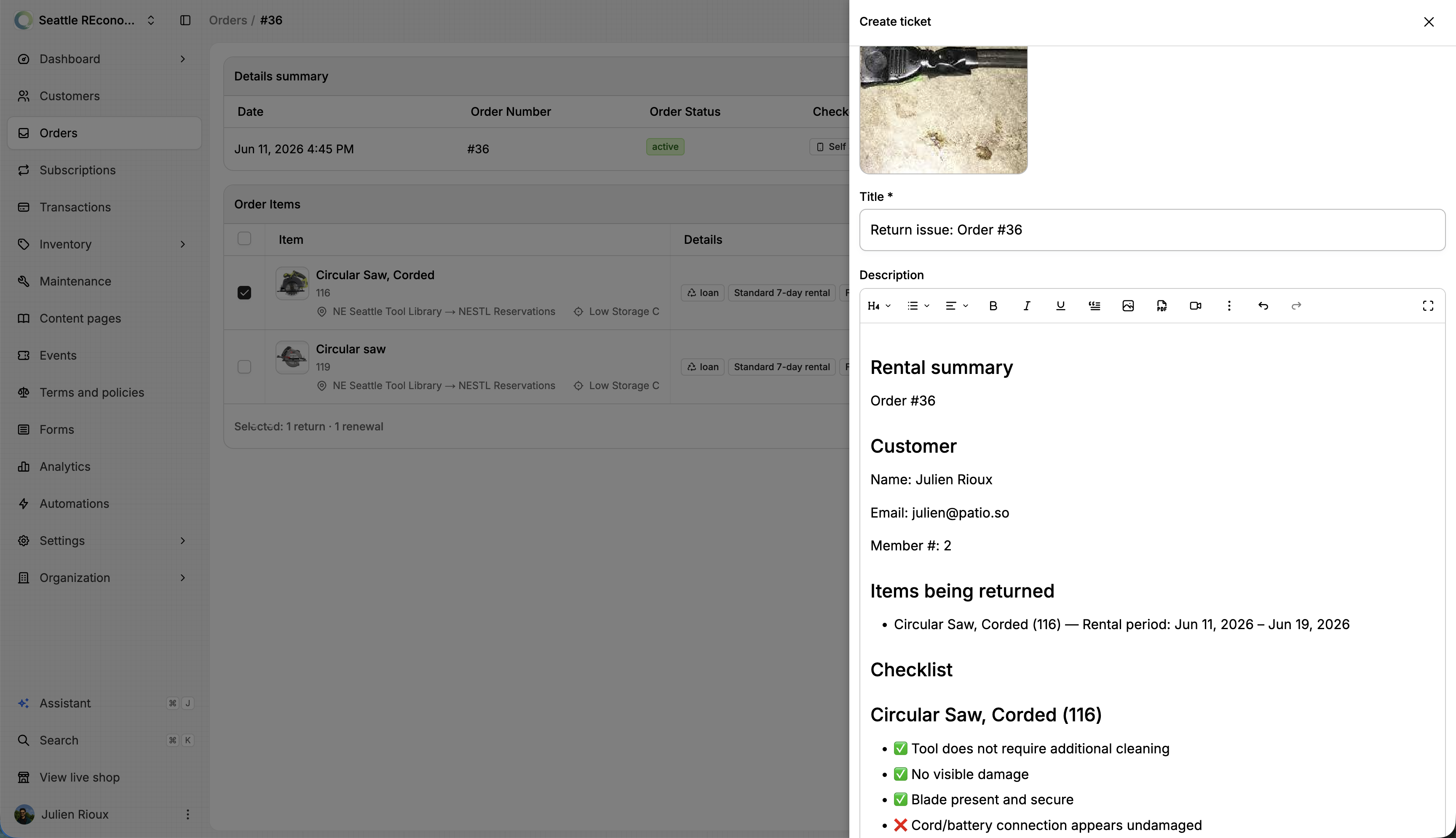
Create maintenance tickets when something fails inspection
If a product has no checklist configured, returns work as before with no inspection step.
How it works
1. Define checklist items
Each checklist is made of items. Every item has:
Items can be reordered when editing a checklist.
2. Attach a checklist to a product
On a rental product, you choose how return checks apply:
None: No return checklist for this product
Custom: Checklist items stored only on this product
Template: A shared checklist reused across many products
Templates live under Inventory → Return Checklists.
Custom checklists are edited per product in a drawer and are not shared.
Custom items on a product take priority over any linked template.
3. Staff complete the checklist during return
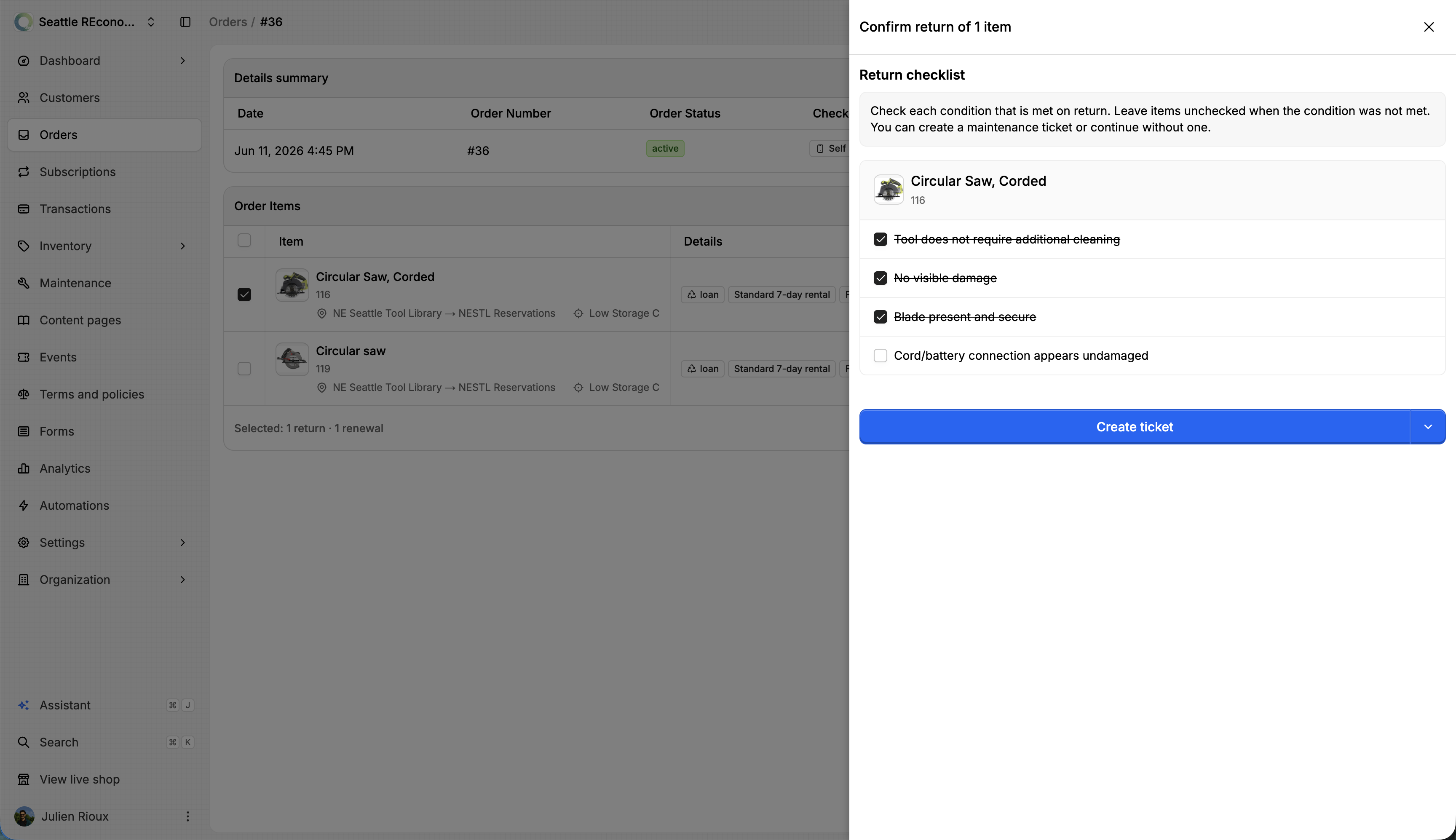
When returning an order item that has checklist items, staff see a Return checklist step in the return flow. For each item they indicate whether the condition was met or not met.
Responses are saved on the order as a return inspection record.
4. Review after return
On the order, a Return checklist section summarizes what was checked, which items failed, and any linked maintenance tickets.
Templates vs custom checklists
Use a template when many products share the same return standards (e.g. all power tools use the same battery/charger checks).
Use a custom checklist when one product has unique requirements that should not apply to others.
Editing a template does not change custom items already saved on individual products.
Managing templates
Inventory → Return Checklists — create, edit, and delete templates
View products on a template — see which inventory products use that checklist
From a product form — New return checklist or Go to return checklists in the selector
A template cannot be deleted while products are still linked to it.
Example
For a cordless drill rental, a return checklist might include:
Battery charged — Must hold a full charge
Charger included — Original charger returned with unit
Case intact — No cracks or missing latches
At return, staff check each line. If the battery fails, they can mark it failed and open a maintenance ticket before completing the return.