💳 Transactions
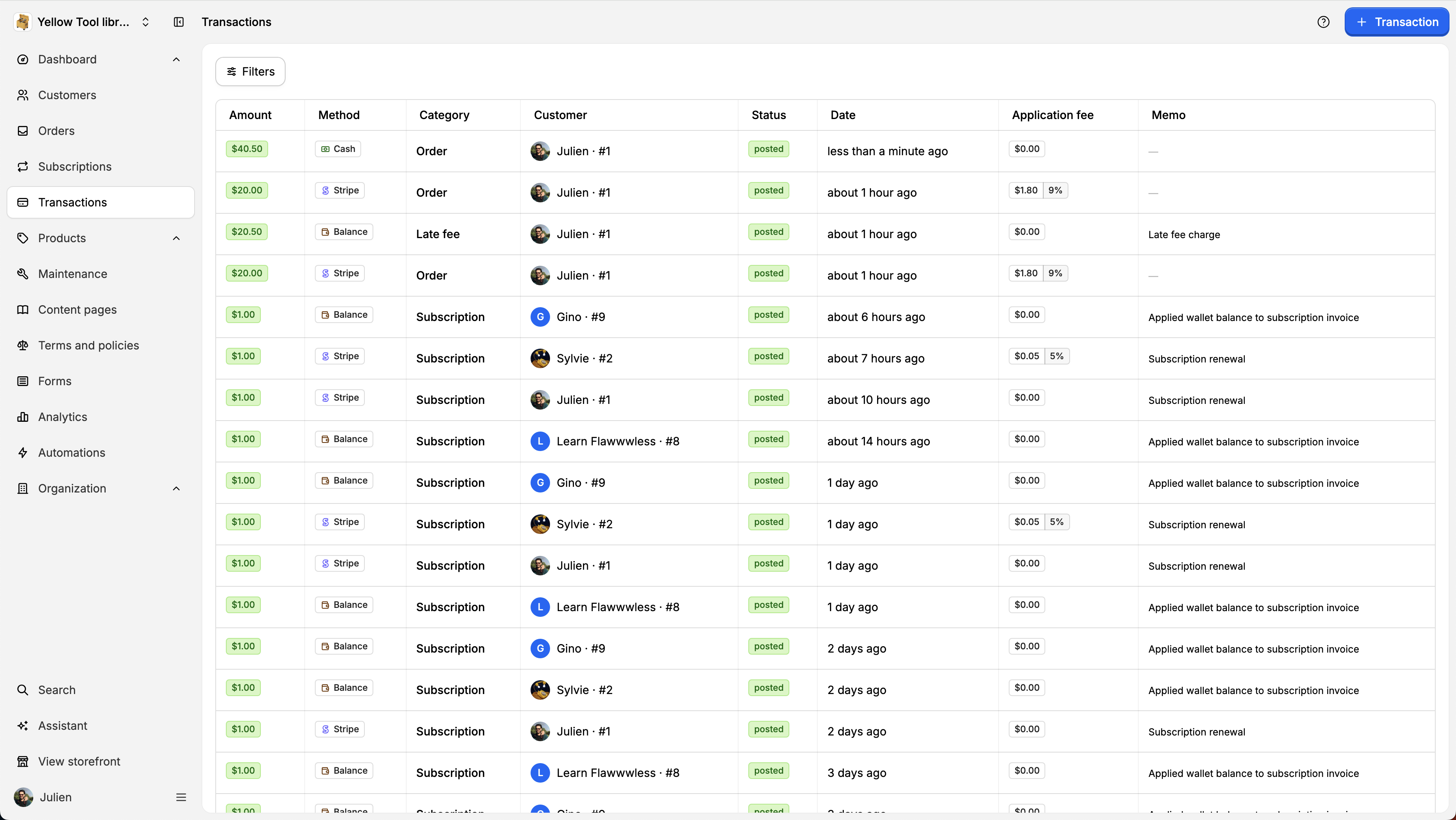
Transactions represents the monetary transfers that occurs for your workspace. There is 3 types of transactions: Credit card (processed by Stripe) Cash Account
By Julien·Updated June 14, 2026
Transactions represents the monetary transfers that occurs for your workspace. There is 3 types of transactions:
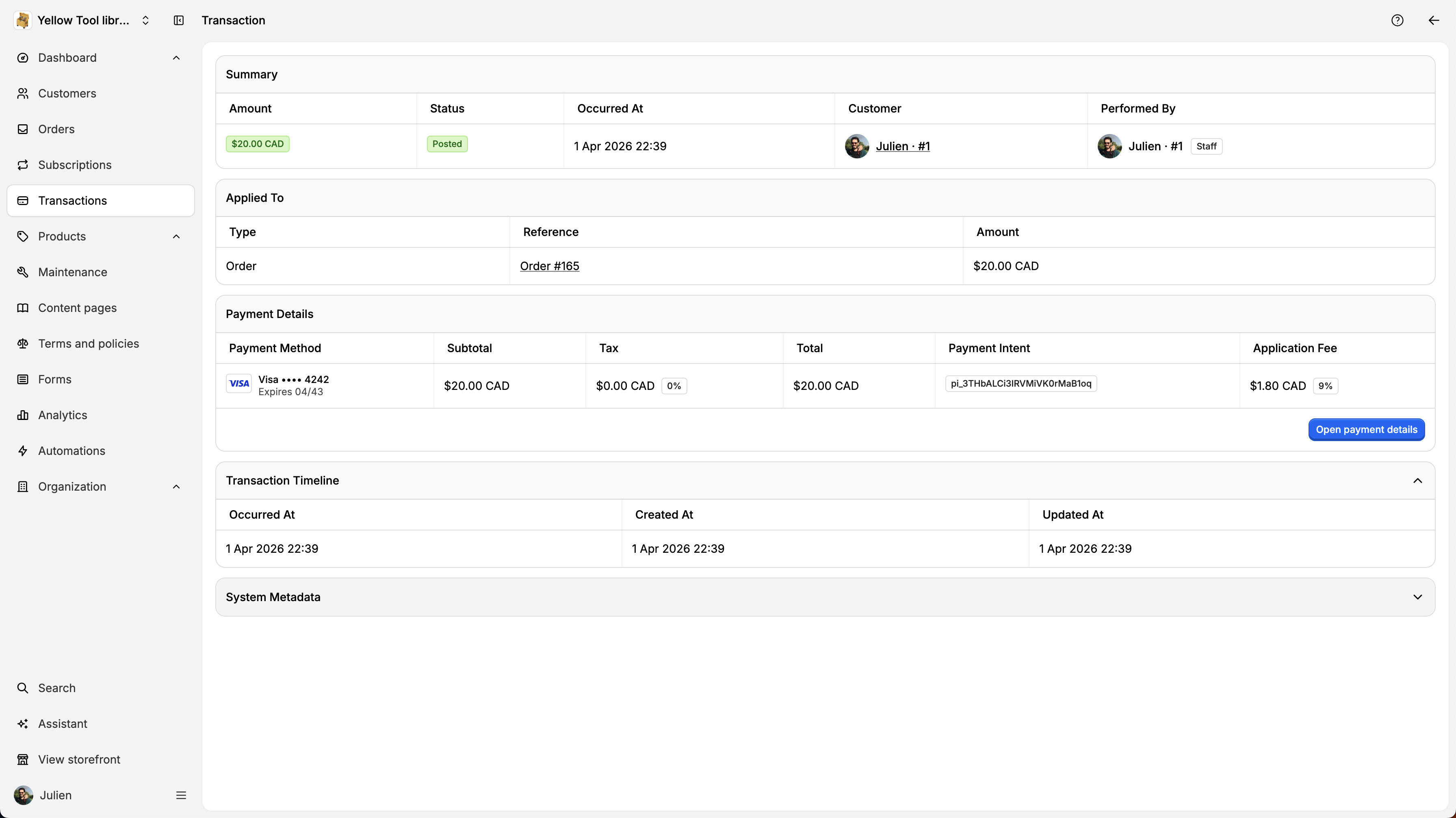
To see the transaction details, click on a transaction. You will then see the transaction details: Customer, staff that performed the operations, payment details, and more.
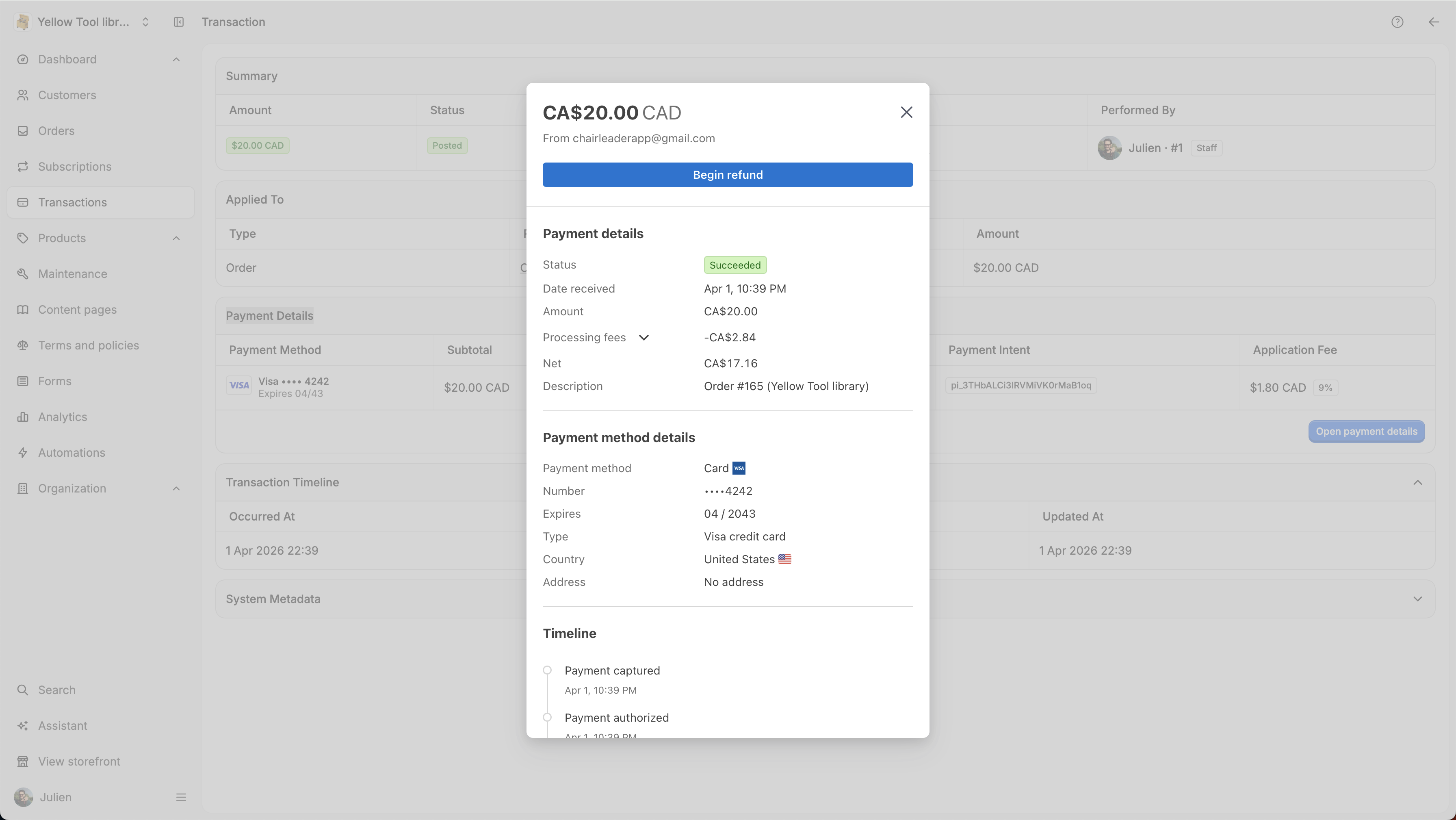
If the order has been processed by Stripe, you will be able to see the stripe details by clicking on Open payment details inside the Payment Details card. Here you will also be able to create a Refund (complete or partial):
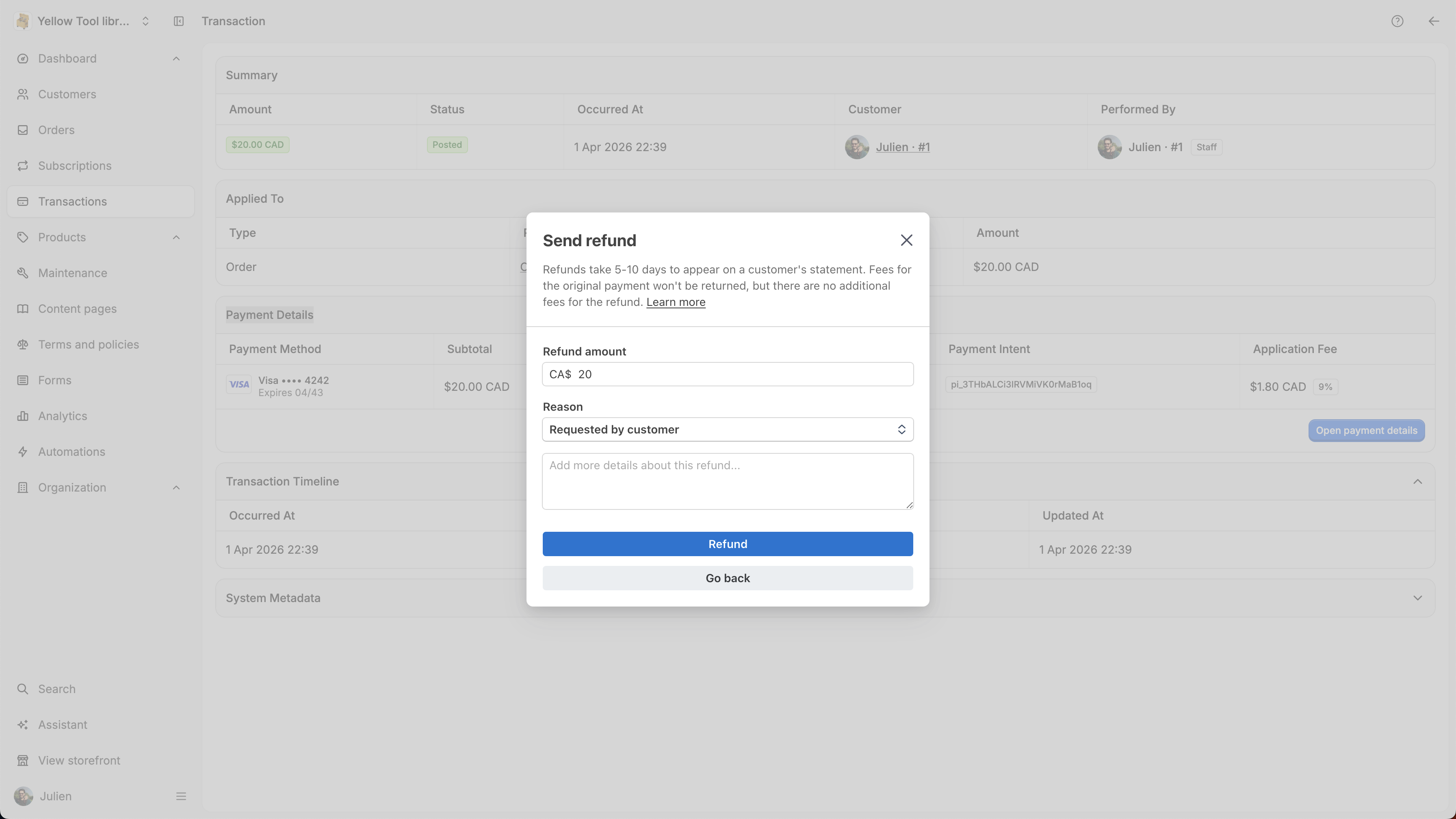
Once the refund applied, you will see it inside your transactions:

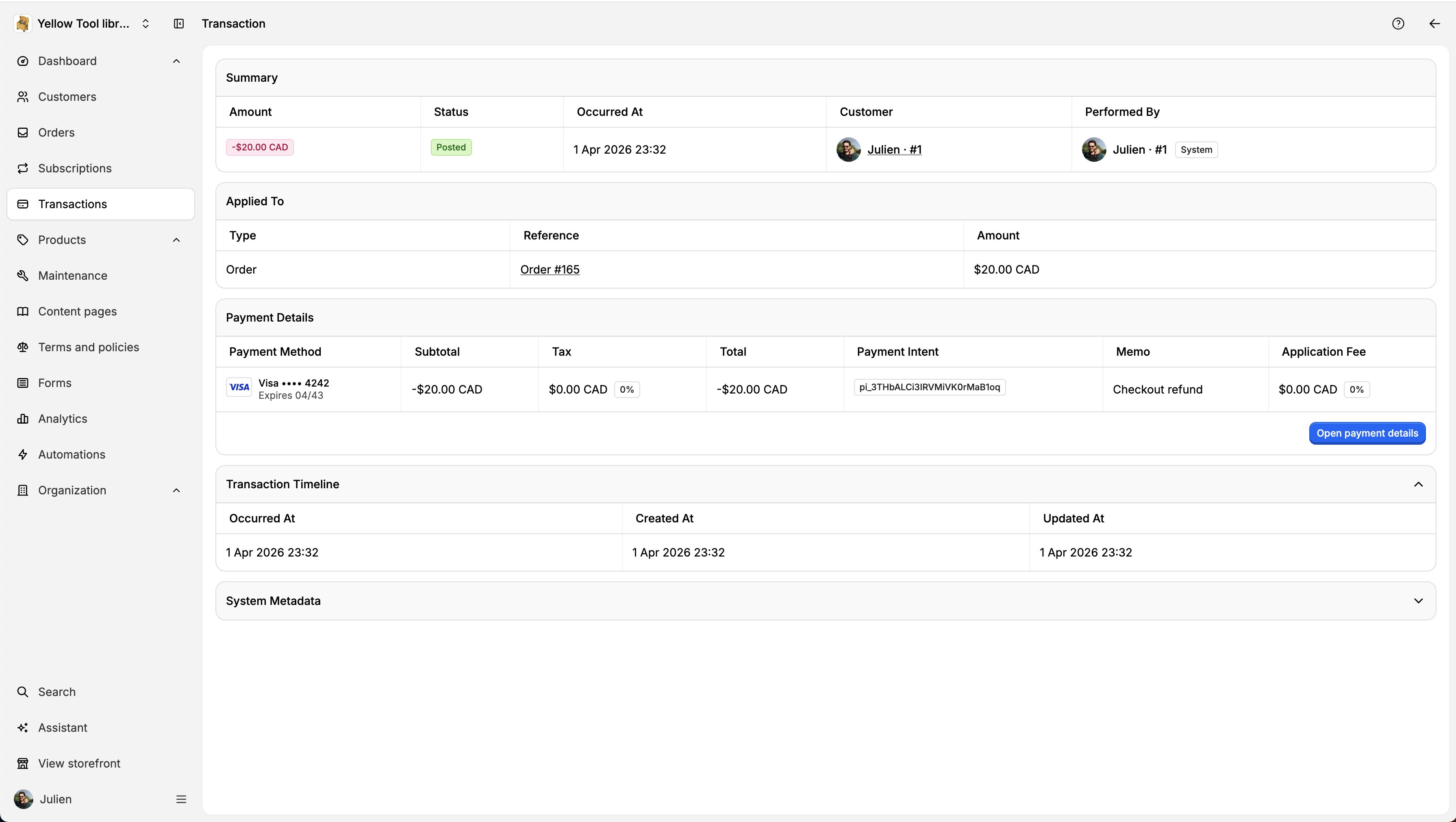
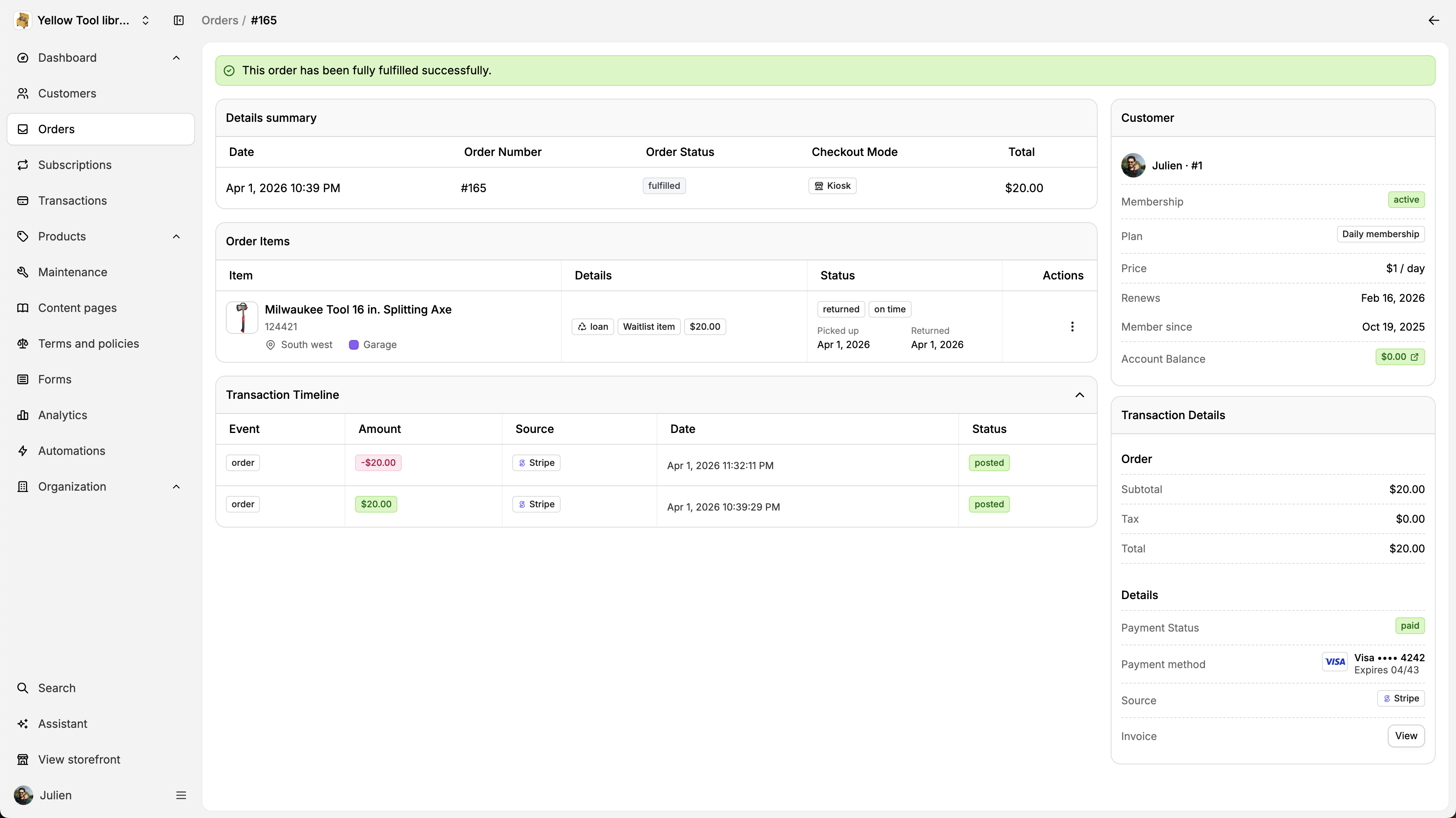
If you go back to the order page, you will see it also inside the transactions timeline. Every transactions related to an order will be attached here (Late fees, deposits, deposits returns, maintenance fees, etc.)