🔐 Access control
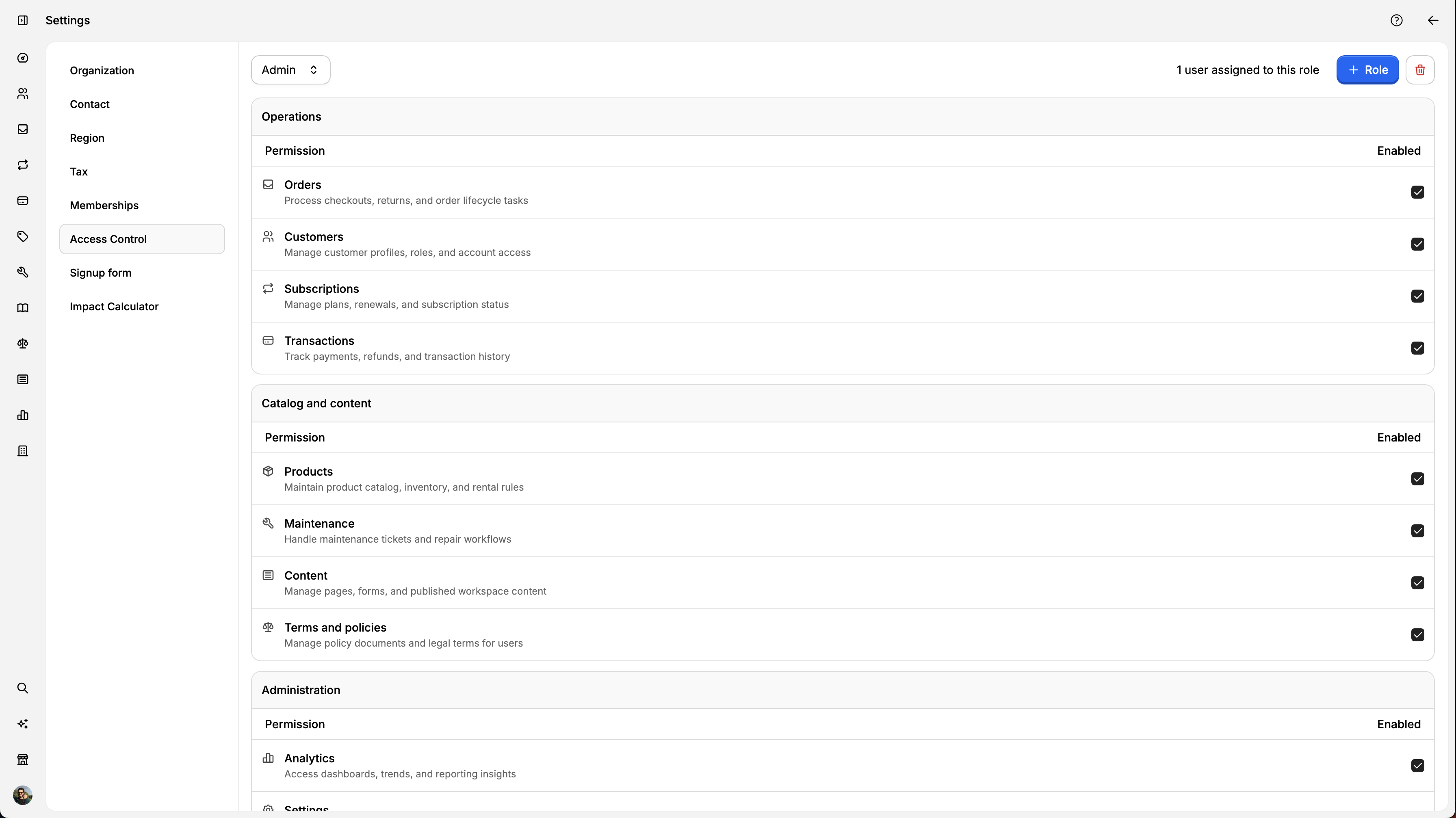
Access Control helps you decide who can see and manage different parts of your workspace. What you can do Choose a role and update its permissions Create a new
By Julien·Updated June 14, 2026
Access Control helps you decide who can see and manage different parts of your workspace.
What you can do
Choose a role and update its permissions
Create a new custom role
Delete a custom role (if no users are assigned to it)
Limit access by location for supported modules
Open Access Control
Go to Workspace.
Open Settings.
Click Access Control.
Update permissions for a role
Select a role from the Role dropdown.
In each permission section, enable or disable modules.
Click Save.
What happens when you save:
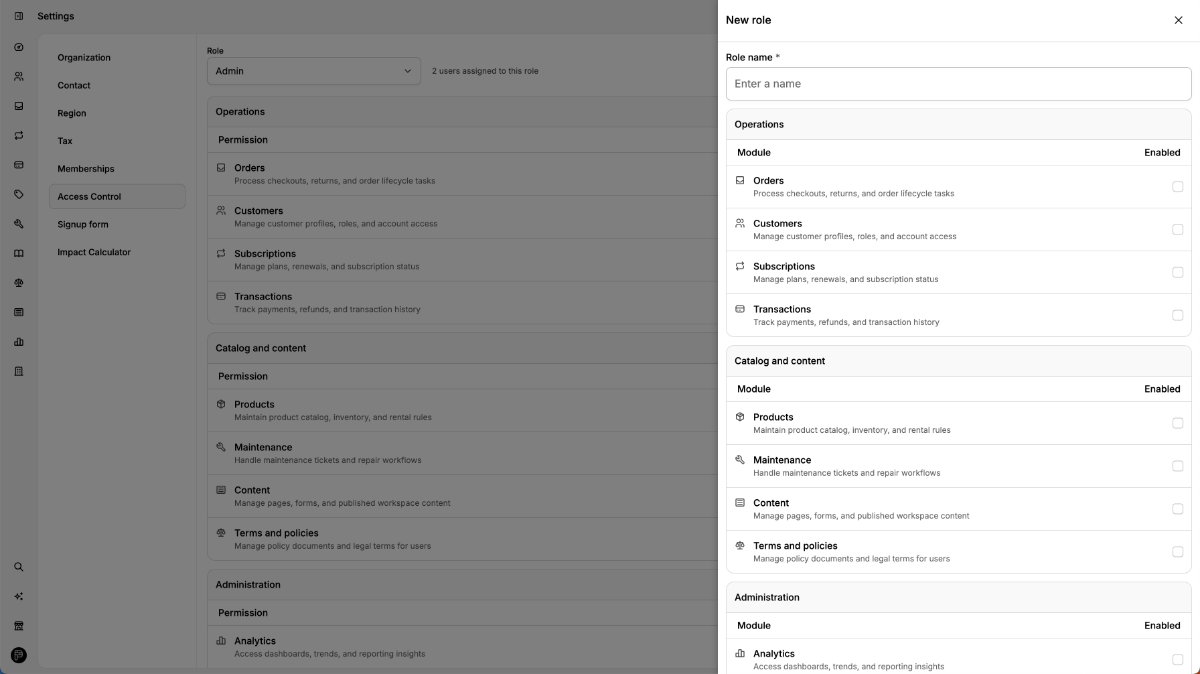
Create a new role
Open the role actions menu.
Click New role.
Enter a role name.
Choose permissions.
(Optional) Set location scope.
Click Create new role.
Click Save on the main page to persist all edits.
Delete a role
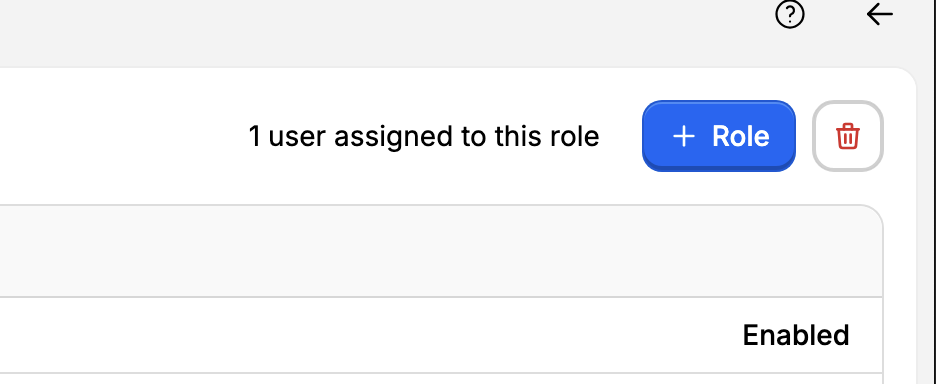
You can delete a role only if:
If users are still assigned, reassign them first.
Location scope
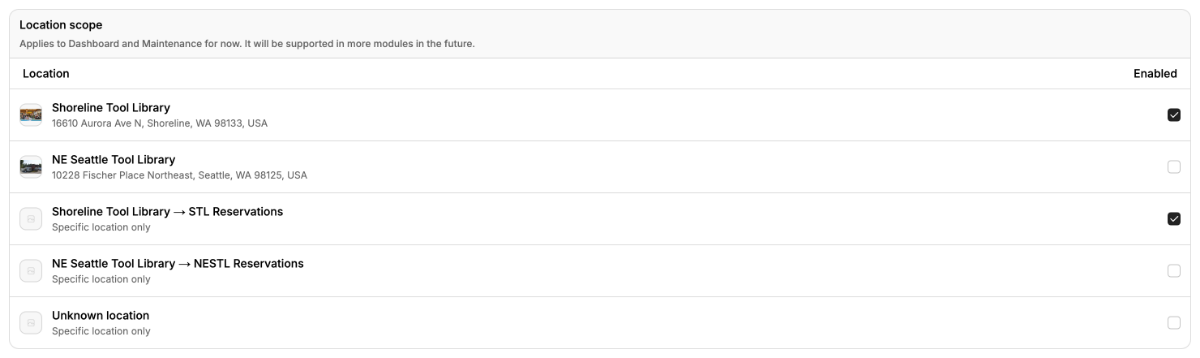
Location scope lets you restrict a role to specific locations.
System role behavior
Some roles are protected and have special behavior:
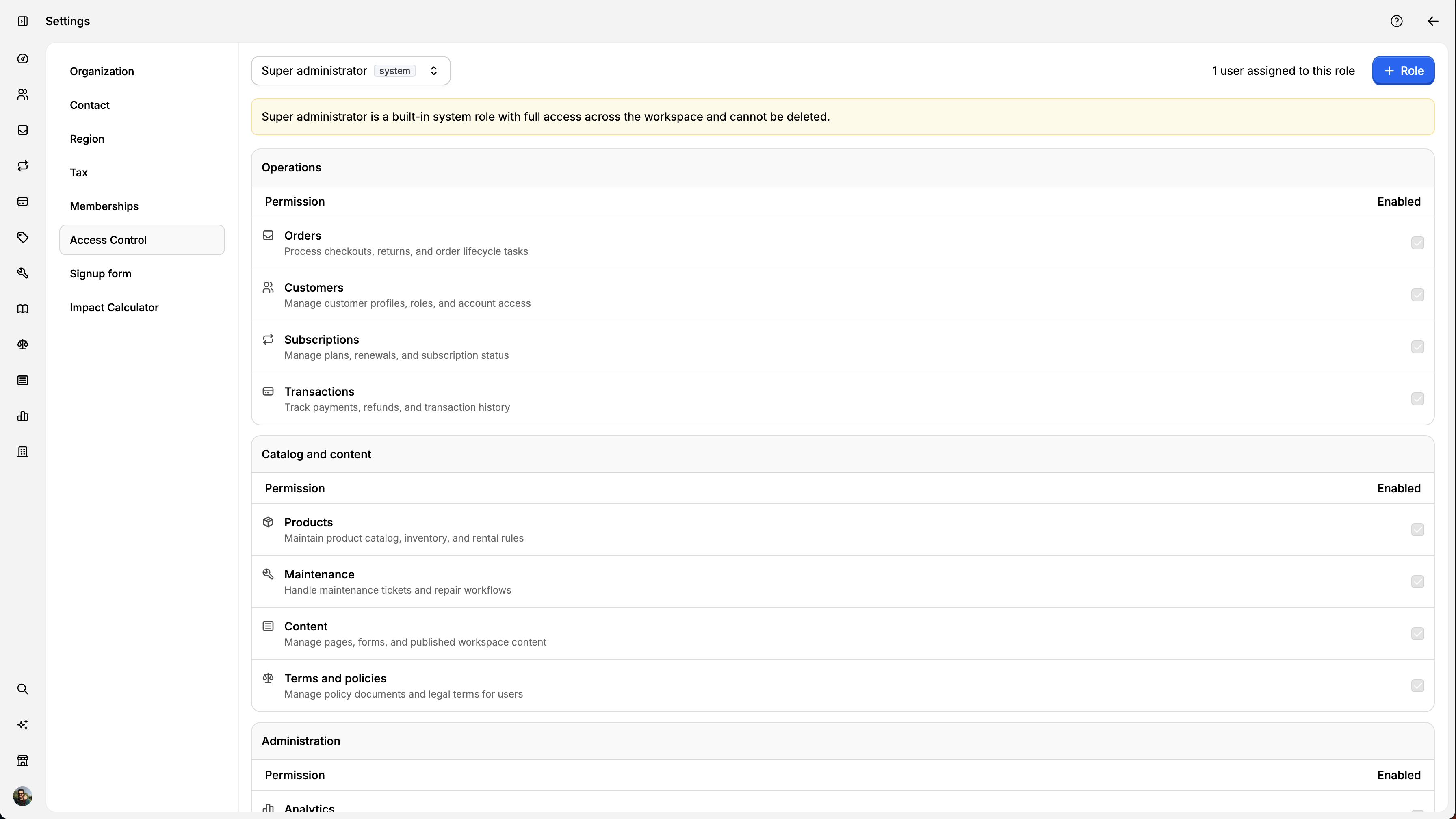
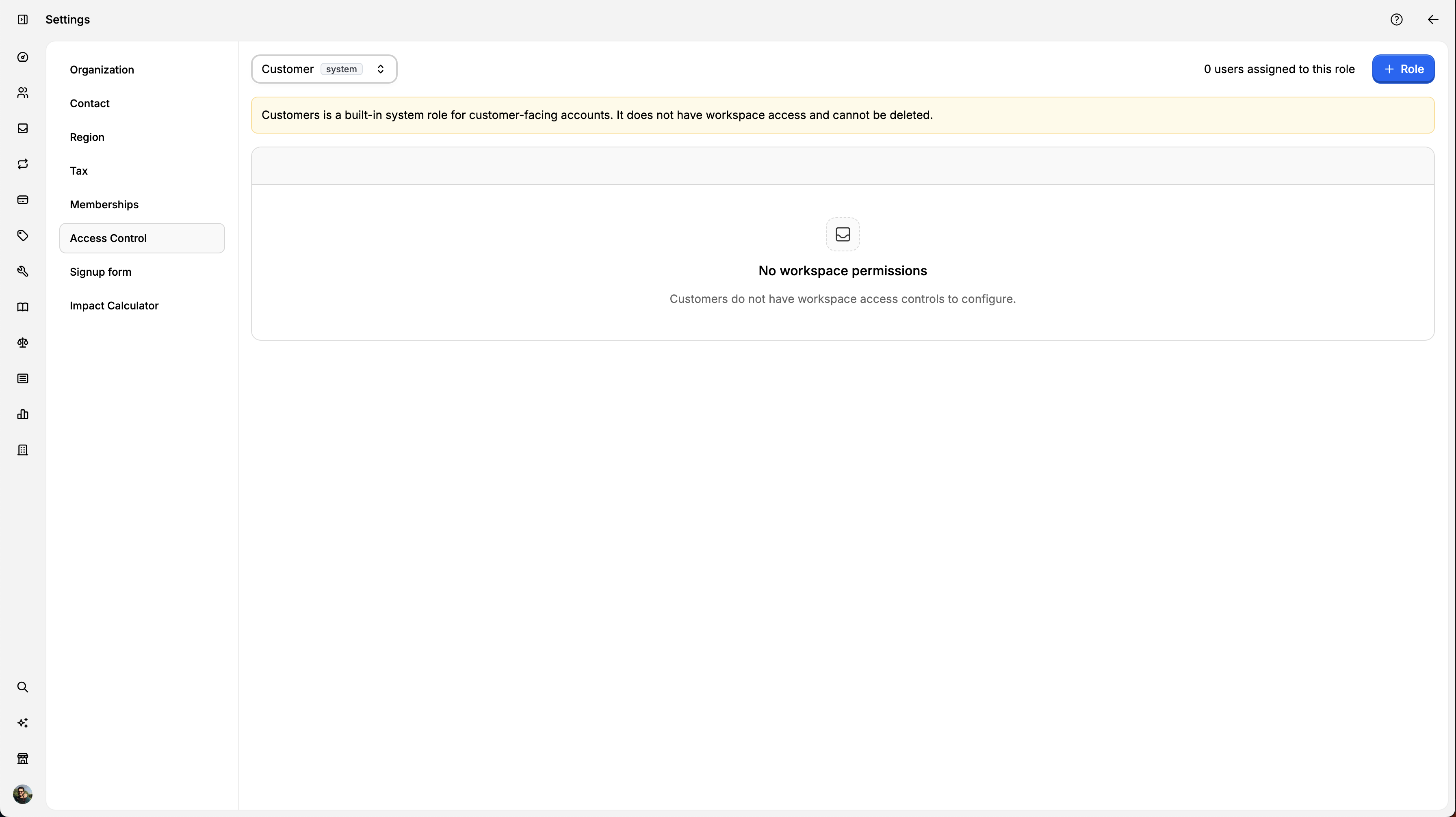
These roles may show informational warnings instead of editable permission controls.
Understanding Access Modules
Access modules are grouped permission bundles.
Instead of toggling every single permission one by one, you enable or disable access by module.
How modules work
Each module controls a set of permissions.
Enabling a module grants all assignable permissions in that module.
Disabling a module removes those permissions.
A role only gets what is both assignable and enabled.
Module breakdown
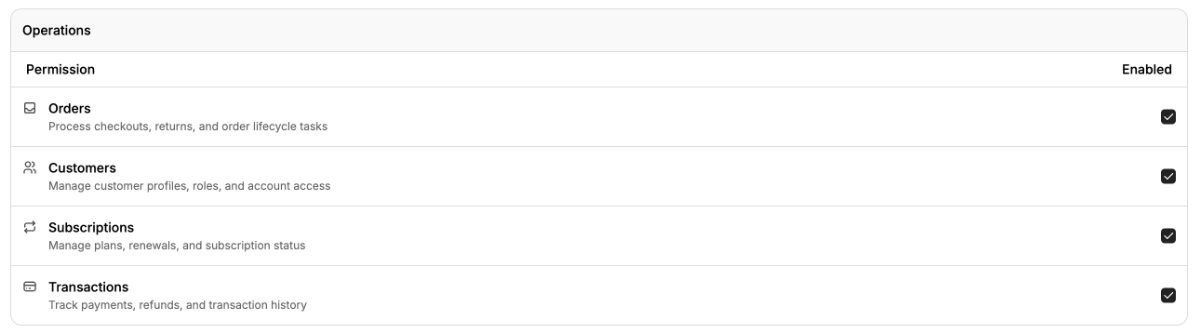
Operations
Orders: checkout, returns, and order lifecycle actions.
Customers: customer records, account access, and role-related customer management.
Subscriptions: plan management, renewals, and status updates.
Transactions: payment activity, records, and transaction operations.
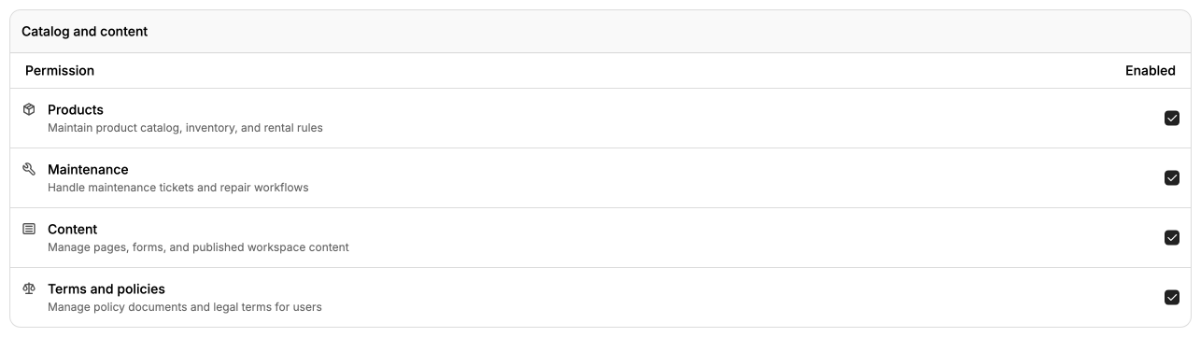
Catalog and content
Products: product catalog operations.
Maintenance: maintenance workflows and ticket handling.
Content: pages/forms and published workspace content.
Terms and policies: policy and legal content management.
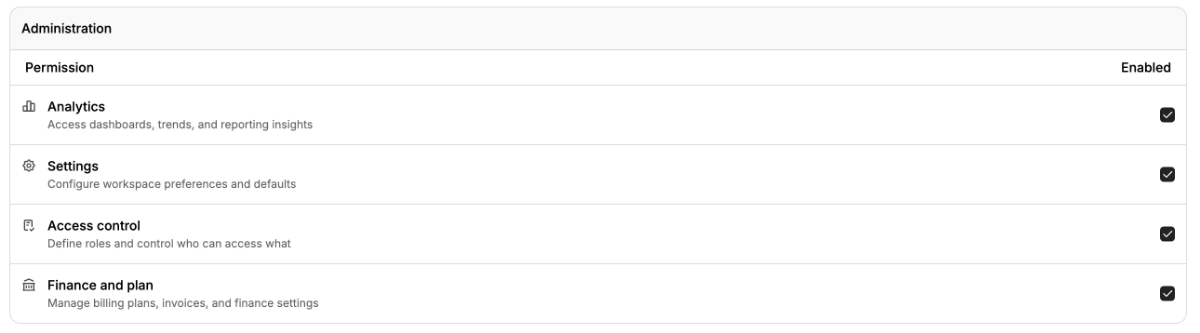
Administration
Analytics: workspace insights and reporting access.
Settings: workspace configuration access.
Access control: role and permission administration.
Finance and plan: billing/plan and finance-related controls.
Important module rules